
问题
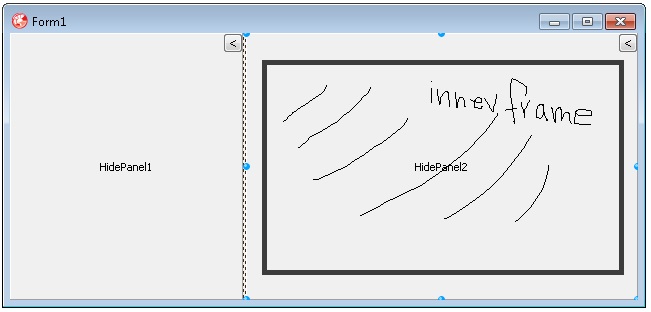
I have a custom control based on TPanel, and it has an inner panel that defines the working region for my components and a outer area with a "minimize/restore" button to hide and show the (inner) panel.
If I drop a component at design time on my control and set its Align property to alClient, the size of the outer panel is used and the minimize button is no longer visible.
How can I align or drop components on my panel to force them (to stay) within the area of the inner panel?
回答1:
Place the button on an own panel which will not accept other controls and keep it in front, but would have the disadvantage that other controls could be covered.
procedure THidePanel.AdjustClientRect(var Rect: TRect);
begin
  inherited;
  FPanel.BringToFront;
end;

constructor THidePanel.create(AOwner: TComponent);
begin
  inherited;
  FPanel := TPanel.Create(self);
  FPanel.Align := alright;
  FPanel.Parent := self;
  FPanel.BevelOuter := bvNone;
  FPanel.Width := 30;
  FButton:=TSpeedButton.Create(self);
  FButton.Parent := FPanel;
  FPanel.ControlStyle := FPanel.ControlStyle - [csAcceptsControls];
end;
来源:https://stackoverflow.com/questions/15924468/how-do-i-restrict-my-custom-controls-children-to-a-certain-area