
问题
While I'm SURE pytz is installed in my virtualenv, as well as I'm SURE that my PyCharm's project is using the said virtualenv, the IDE is constantly complaining:

And when I check in the virtualenv:
(my-project-venv)anto@~/d/m/myproject$ pip freeze | grep pytz
pytz==2014.4
(my-project-venv)anto@~/d/m/myproject$ python -c "import pytz; print pytz"
<module 'pytz' from '/home/anto/.virtualenvs/my-project-venv/local/lib/python2.7/site-packages/pytz/__init__.pyc'>
What am I missing?
回答1:
This is probably because the virtualenv interpreter and interpreter that you've set for your pycharm project are not the same. Check your interpreter:
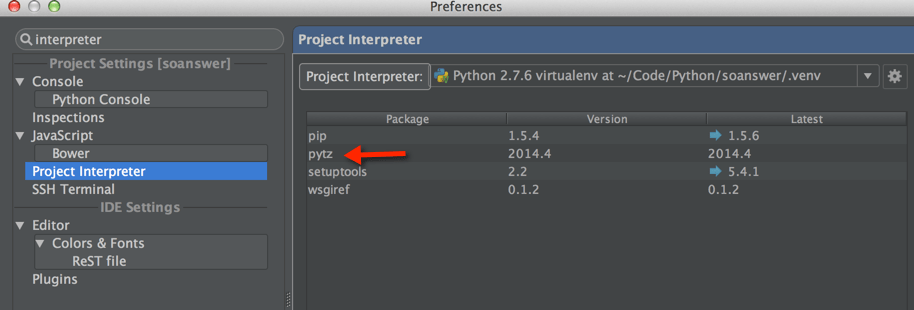
In my case, PyCharm was able to pick up that pytz is a module:
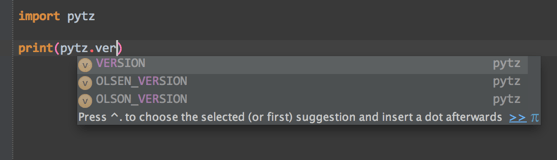
If the above failed, then try again after deleting the .idea folder in your project directory.
回答2:
I had the issue resolved by keeping my virtualenv outside my working project folder. Im not sure why it resolved the issue but it did miraculously.
来源:https://stackoverflow.com/questions/25062269/pycharm-wont-find-pytz