
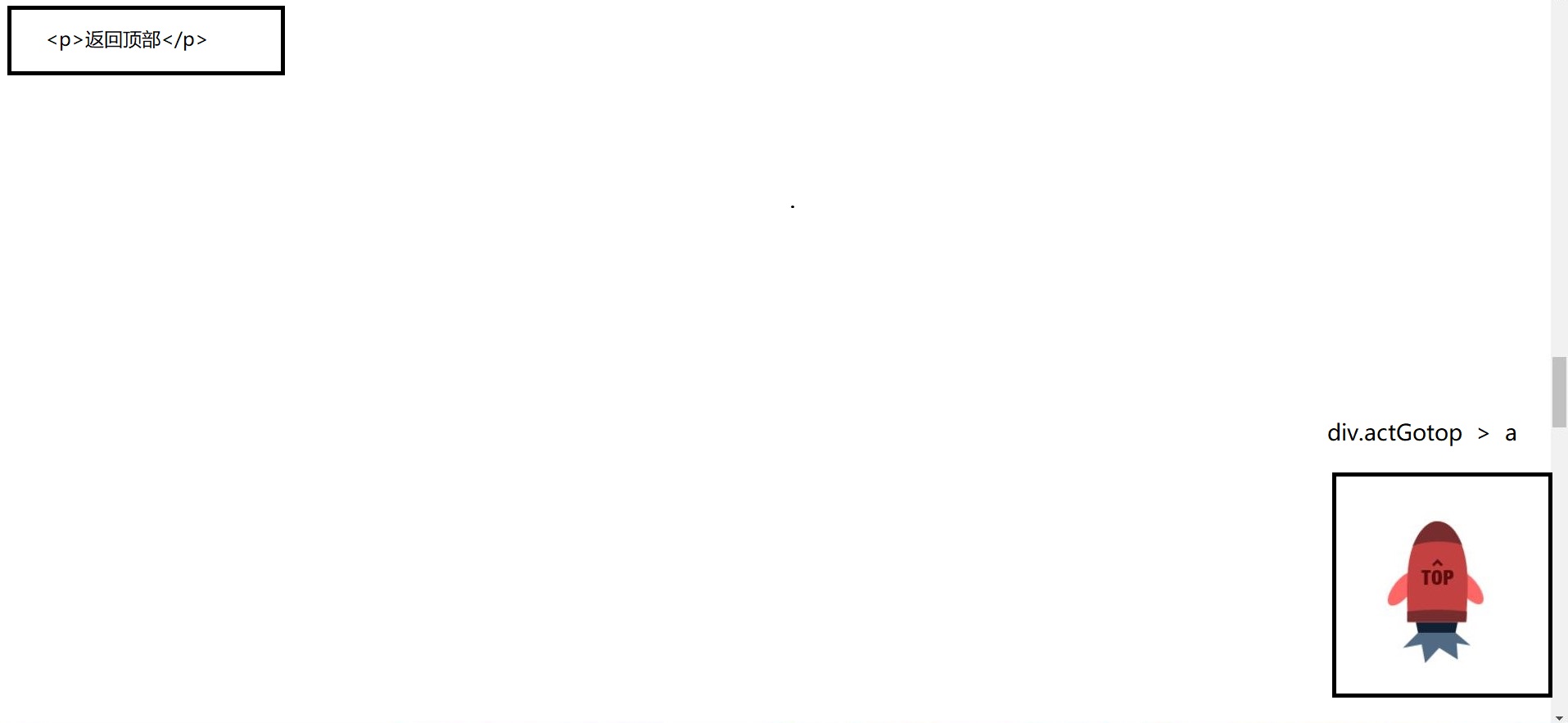
布局:
<p>返回顶部</p>
div. actGotop > a
案例分析:
1,页面滚动, 当超出去1000px 的时候 , 小火箭会渐渐的显示出来( fadeIn) , 如果小于1000,就让小火箭隐藏.
2, 小火箭作为背景图片 (gotop.png) 放在 a 中, 当鼠标移动到 a 链接的上方 ( a:hover ) 时, a 的背景图片变成 gotop.gif 形式.
3,点击小火箭, 页面会慢慢的返回到顶部
关键代码:
.actGotop a ,
.actGotop  a:link{
    width :150px;
     height:195px;
    display: inline-block;
    background: url (images / gotop.png)  no-repeat;
    outline:none;
}

.actGotop  a:hover{
   width:150px;
   height:195px;
   background: url (images / gotop.gif) no-repeat;
  outline: none;
}
jQuery代码:
$(window).scroll(function(){
   if($(window).scrollTop >= 1000)
   {
      $(".actGotop").stop().fadeIn(1000);
   }
   else
    {
       $(".actGotop").stop().fadeOut(1000);
    }
})


$(".actGotop").click(function(){
    $("html , body").stop().animate({scrollTop : 0} , 3000);  //做动画的话,不能用$(window)
    $(window).scrollTop(0);
})
完整代码:
<!DOCTYPE html>
<html lang="en">
<head>
  <meta charset="UTF-8">
  <title>Title</title>
  <style>
    body {
      height: 8000px;
    }

    a {
      color: #FFF;
    }

    .actGotop {
      position: fixed;
      bottom: 50px;
      right: 50px;
      width: 150px;
      height: 195px;
      display: none;
      z-index: 100;
    }

    .actGotop a, .actGotop a:link {
      width: 150px;
      height: 195px;
      display: inline-block;
      background: url(images/gotop.png) no-repeat;
      outline: none;
    }

    .actGotop a:hover {
      width: 150px;
      height: 195px;
      background: url(images/gotop.gif) no-repeat;
      outline: none;
    }
  </style>


</head>
<body>
<p>这是顶部</p>
<div class="actGotop"><a href="javascript:;" title="Top"></a></div>

<script src="../jquery-1.12.4.js"></script>
<script>
  $(function () {

    //当页面超出去1000px的时候,让小火箭显示出来,如果小于1000,就让小火箭隐藏
    $(window).scroll(function () {
      if($(window).scrollTop() >= 1000 ){
        $(".actGotop").stop().fadeIn(1000);
      }else {
        $(".actGotop").stop().fadeOut(1000);
      }
    });

    //在外面注册
    $(".actGotop").click(function () {
      $("html ,body").stop().animate({scrollTop:0},3000);
      $(window).scrollTop(0);
    })

  });
</script>
</body>
</html>