
问题
I have a query that has approximately 20 columns and I would like to export this to an Excel file with the column headers.
I thought this would be easy to figure out but no luck! I searched the web and found one suggestion that did not end up working so I am stuck.
回答1:
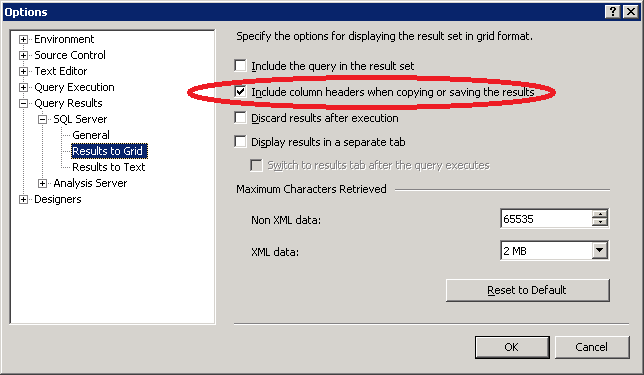
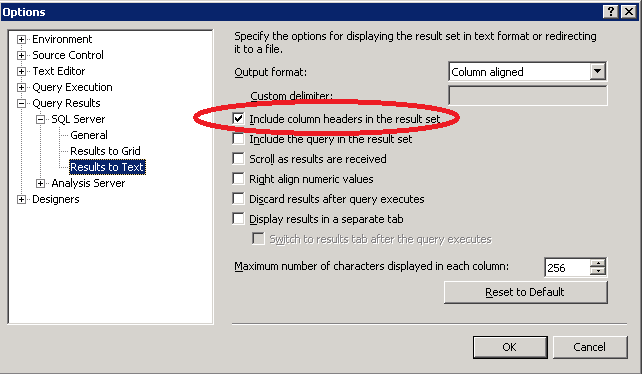
I typically do this by simply click the upper left corner in the results grid, copy, and then paste into Excel. There is one catch, you need to go into options->query results-> SQL Server->results to grid (or text if you want to save to file for import into excel) and turn on include column headers when copying or saving the results. I find this works great.
回答2:
Tools --> Options, Select "Query Results" --> "SQL Server" --> "Results to Grid" and "Results to Text" (images below):
回答3:
This script rocks BCP to Export data to excel
回答4:
That is the default if you use the Import/Export wizard. You can also save this out to an SSIS package if you want to customize the export.
来源:https://stackoverflow.com/questions/639886/exporting-from-sql-server-to-excel-with-column-headers