
问题
For Example:
I have
- C:\Folder\Subfolder1\SubfolderA\file1.pdf
- C:\Folder\Subfolder1\SubfolderB\file2.pdf
- C:\Folder\Subfolder1\Subfolderc\file3.pdf
And I just want to have this path:
- C:\Folder\Subfolder1\SubfolderA
- C:\Folder\Subfolder1\SubfolderB
- C:\Folder\Subfolder1\Subfolderc
- C:\Folder\Subfolder1\file1.pdf
- C:\Folder\Subfolder1\file2.pdf
- C:\Folder\Subfolder1\file3.pdf
I am using Windows 7, and tried different commands in CMD, like:
Move C:\Folder\Subfolder1\SubfolderA\*.* C:\Folder\Subfolder1\SubfolderA
I spent almost a day exploring different solutions to do this since I am working around thousands of files; and so impractical to do this manually.
回答1:
I think I understood you correctly, so, below there's the solution.
Imagine there are two folders:
C:\ABC
and C:\ABC\XYZ
to transfer all files from C:\ABC\XYZ to C:\ABC do the following:
Navigate to
C:\ABC\XYZExecute the command:
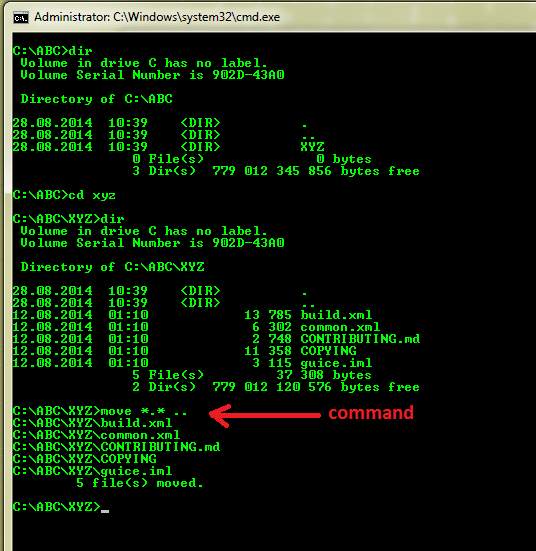
move *.* ..
and that's it.
All files from C:\ABC\XYZ will be moved to the parent folder, i.e to C:\ABC\
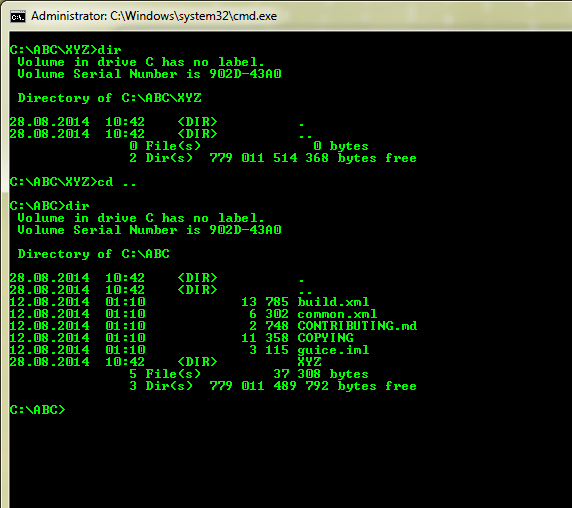
Below, there are pictures to demonstrate this solution.
- Folder
ABCcontainsXYZfolder
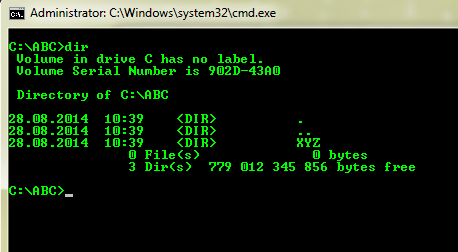
- we navigate to
XYZand there are some files exist
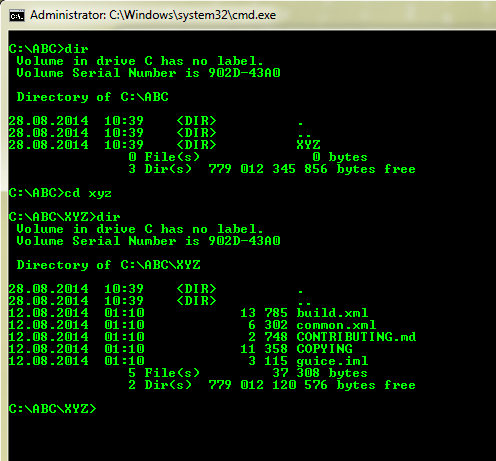
- We execute
move *.* ..command to transfer files to the parent (ABC) folder
- now
XYZis empty
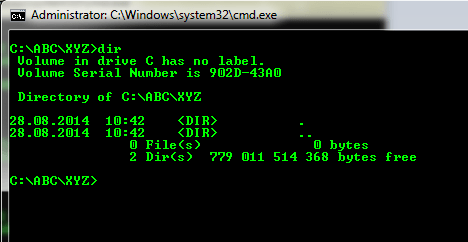
And all files from XYZ are in ABC (parent folder) now
回答2:
Try this command
for /d %A in ("D:\Shawu\Access\Main\*") do @(pushd "%A"&(for /r /d %B in (*) do @move /y "%B\*" "%A" 2>nul)&popd)
Be careful of files with duplicate names. It will overwrite. I would recommend you to try first with some test file to see whether you get the desired results.
Thanks!
来源:https://stackoverflow.com/questions/25540926/how-can-i-move-all-files-to-the-parent-folder-using-windows-cmd-command