
I'm trying to find some Java lib, code example (or a starting point) to help me figure out how can I interpolate a list of 2d points with a weight to generate a interpolation with level curves.
Googling I figure out that there is several algorithms available to do this, and i found some explanations with interesting content. The first algorithm that I want to try is the Inverse Distance Weighted interpolation.
But with all this information i have some basic doubts:
To generate one picture like the picture below, i have to do a pixel matrix (with weight), interpolate the data, group pixels together (by color range) and then join the points do draw the curves and put the reference text values like this?
If i need to do this pixel matrix, it will be very expensive for a giant interpolation, so can I do less points and use splines to join then to create the color levels?
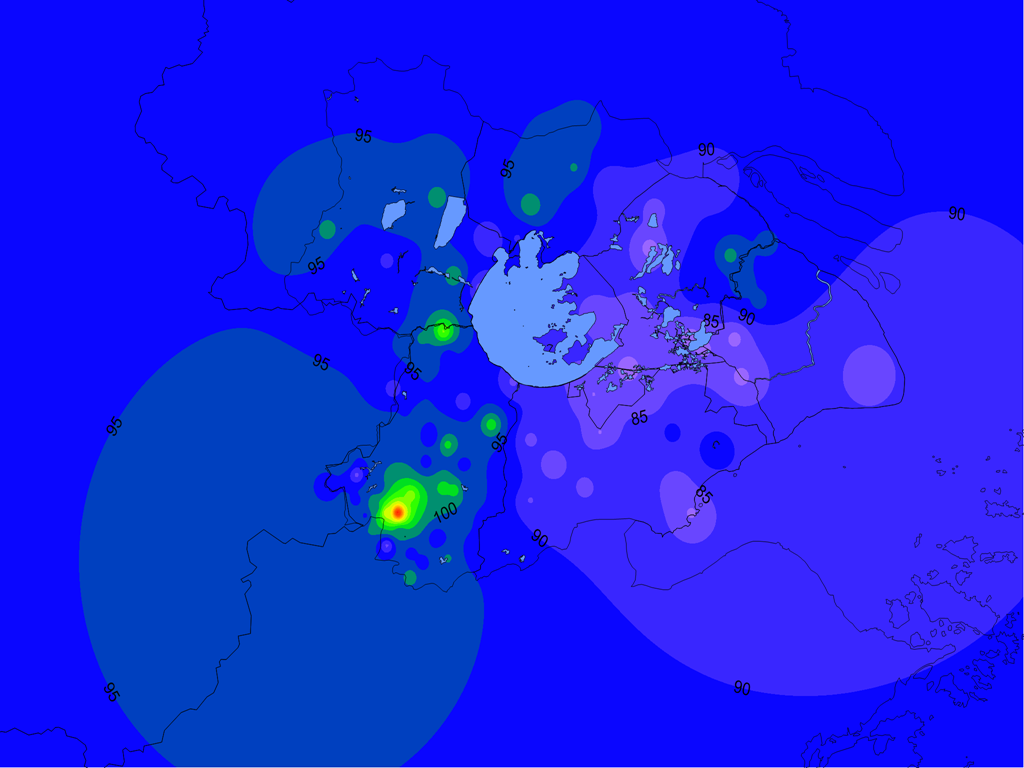
Example data:
+-------------------+
|  X  |  Y  | WEIGHT|
+-------------------+
|  2  |  5  |   30  |
|  7  |  3  |   25  |
|  1  |  1  |   10  |
|  5  |  6  |   45  |
|  7  |  9  |   15  |
+-------------------+
Example Rules:
- Value between 00-10: Blue
- Value between 10-20: Green
- Value between 20-30: Yellow
- Value between 30-40: Red
Example results:

The example data, rules and results are not compatible, are just random examples to explain my prblem.
Here is my final test class: http://pastebin.com/nD6MT8eS
Assuming you've got a Point class you can use (e.g. java.awt.Point), you can put the weights into a Map:
Map<Point,Double> points = new HashMap<Point,Double>();
points.put( new Point(2,5), 30 )
...
Then, you make an image, and for each x,y coordinate, find the best score. I'm assuming that the score is the inverse distance times the weight of the point in the table. If so, it's like this:
image = createBitmap( width, height )
for( int x = 0; x < width; x++ )
    for( int y = 0; y < height; y++ )
    {
         double maxScore = -Double.MAX_VALUE
         for( Point p : points.keySet() )
         {
             double score = points.get(p)/p.distance( x, y ) //Inverse distance times point weight
             minDist = Math.max( maxScore, score )
         }
         image.setPixelColour( x, y, getColorForDistance( 1/minDist * points.get(p) )
    }
getColourForDistance( double dist ) should be obvious, although you'll have to set the levels right. I'm assuming createBitmap( width, height ) is creates an image. What kind of image you're making depends on your application, as does whether it has a setPixelColour method or similar. Choice of points class will depend on your application as well.
This is not optimised - it's at least O(x*y*p) where p is the number of points. If p gets large, you might want to look at more sensible data structures for storing points.
To complement the @mo-seph and @Xipan-Xiao answers you can look at the NonGridContourDataset class from jFreeChart project that implements the inverse distance to power algorithm.
Don't know how to add comments so I'm adding my thoughts in this answer area.
At least you don't need to "group pixels together (by color range) and then join the points do draw the curves". To generate the picture you need, just do something like:
picture = createBitmap( width, height );
for( int x = 0; x < width; ++ x ){
    for( int y = 0;y < height; ++ y ){
        double value = interpolate( x, y, inputs );
        Color color = colorRangeOf( value );
        picture.setPixel( x, y, color );
    }
}
So a picture is created without creating a pixel matrix, grouping colors. The boundary "curves" will automatically be there after each pixel value of the picture is specified.
来源:https://stackoverflow.com/questions/14341369/java-2d-weighted-data-interpolation