
websocket是不同于http的另外一种网络通信协议,能够进行双向通信,基于此,可开发出各种实时通信产品,我简单做了个聊天室demo,顺便分享一下。
PHP的swoole扩展,正如作者所说,是PHP的异步、并行、高性能网络通信引擎,使用纯C语言编写,提供了PHP语言的异步多线程服务器,异步TCP/UDP网络客户端,异步MySQL,异步Redis,数据库连接池,AsyncTask,消息队列,毫秒定时器,异步文件读写,异步DNS查询。 Swoole内置了Http/WebSocket服务器端/客户端、Http2.0服务器端。
本demo用swoole来做server端,client端使用html5 websocket api,使用redis set数据结构存储连接标识。具体代码如下:
1,websocket.php:
<?php
/**
 * Created by PhpStorm.
 * User: purelightme
 * Date: 2017/7/30
 * Time: 15:24
 */
$ws_server = new swoole_websocket_server('0.0.0.0', 9502);

$redis = new Redis();
$redis->connect('127.0.0.1', 6379);
//$redis->flushAll();exit;

$ws_server->on('open', function ($ws, $request) use ($redis) {
    $redis->sAdd('fd', $request->fd);
});

$ws_server->on('message', function ($ws, $frame) use ($redis) {
    global $redis;
    $fds = $redis->sMembers('fd');
    foreach ($fds as $fd){
        $ws->push($fd,$frame->fd.'--'.$frame->data);
        //发送二进制数据:
        $ws->push($fd,file_get_contents('http://imgsrc.baidu.com/imgad/pic/item/267f9e2f07082838b5168c32b299a9014c08f1f9.jpg'),WEBSOCKET_OPCODE_BINARY);
    }
});

//监听WebSocket连接关闭事件
$ws_server->on('close', function ($ws, $fd) use ($redis) {
    $redis->sRem('fd',$fd);
});

$ws_server->start();
2,websocket.html:
<!DOCTYPE html>
<html>
<head>
    <title></title>
    <meta charset="UTF-8">
    <script type="text/javascript">
        if(window.WebSocket){
            var webSocket = new WebSocket("ws://0.0.0.0:9502");
            webSocket.onopen = function (event) {
                //webSocket.send("Hello,WebSocket!");
            };
            webSocket.onmessage = function (event) {
                var content = document.getElementById('content');
                if(event.data instanceof Blob) {
                    var img = document.createElement("img");
                    img.src = window.URL.createObjectURL(event.data);
                    content.appendChild(img);
                }else {
                    content.innerHTML = content.innerHTML.concat('<p style="margin-left:20px;height:20px;line-height:20px;">用户id-'+event.data+'</p>');
                }
            };

            var sendMessage = function(){
                var data = document.getElementById('message').value;
                webSocket.send(data);
                document.getElementById('message').value = '';
            }
        }else{
            console.log("您的浏览器不支持WebSocket");
        }
    </script>
</head>
<body>
<div style="width:600px;margin:0 auto;border:1px solid #ccc;">
    <div id="content" style="overflow-y:auto;height:300px;"></div>
    <hr/>
    <div style="height:40px">
        <input type="text" id="message" style="margin-left:10px;height:25px;width:450px;">
        <button onclick="sendMessage()" style="height:28px;width:75px;">发送</button>
    </div>
</div>
</body>
</html>
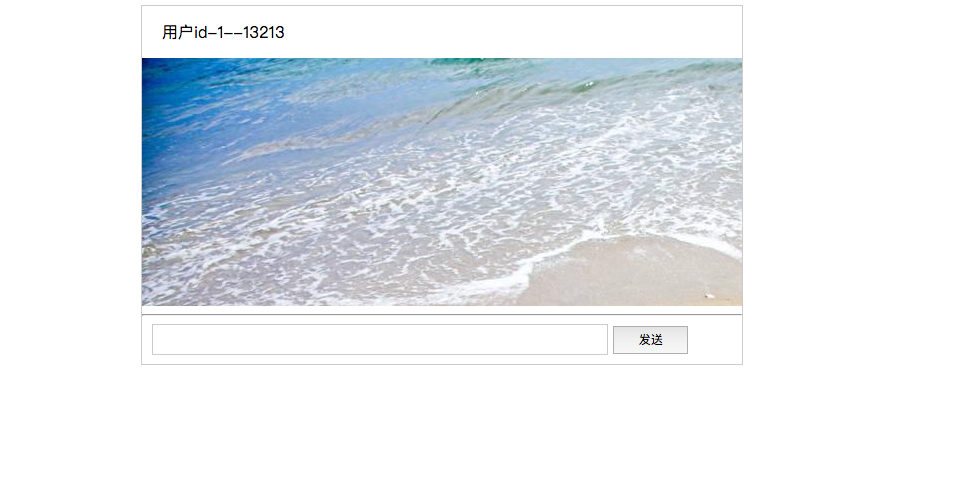
效果大概如下图,感兴趣的可以自己研究研究。。。
来源:http://www.cnblogs.com/purelightme/p/7260124.html