

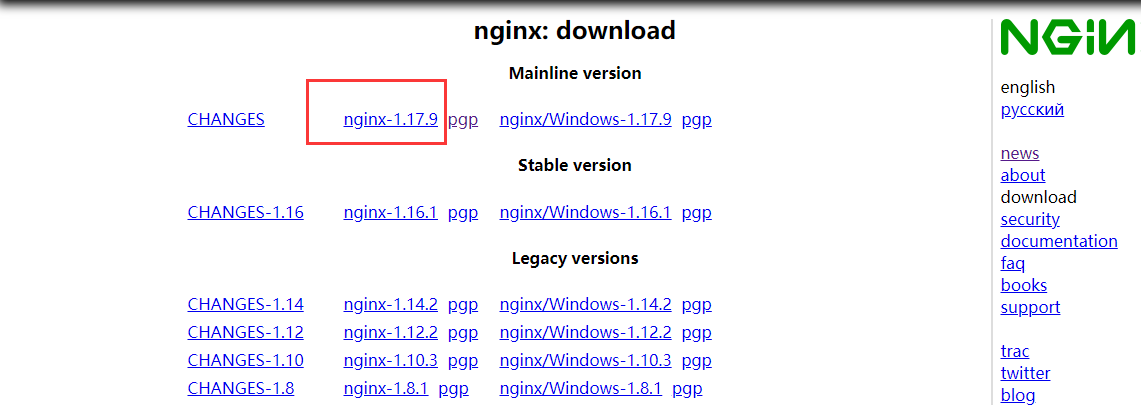
官网下载最新nginx-1.17.9
安装所需插件
- 安装gcc
gcc是linux下的编译器在此不多做解释,感兴趣的小伙伴可以去查一下相关资料,它可以编译 C,C++,Ada,Object C和Java等语言
yum -y install gcc -
pcre、pcre-devel安装
pcre是一个perl库,包括perl兼容的正则表达式库,nginx的http模块使用pcre来解析正则表达式,所以需要安装pcre库。yum install -y pcre pcre-devel -
zlib安装
zlib库提供了很多种压缩和解压缩方式nginx使用zlib对http包的内容进行gzip,所以需要安装yum install -y zlib zlib-devel
- 安装openssl
openssl是web安全通信的基石,没有openssl,可以说我们的信息都是在裸奔。。。。。。
yum install -y openssl openssl-devel
用rz命令(没有该命令自己下载)上传下载好的nginx压缩包
创建redis安装目录
mkdir -p /usr/develop/nginx
进入目录
cd /usr/develop/nginx
执行rz命令(没有的自己下载),上传下载好的redis压缩包,并解压
tar -zxvf nginx-1.17.9.tar.gz
进入到解压缩的文件夹
cd nginx-1.17.9
执行
./configure
编译安装
make && make install
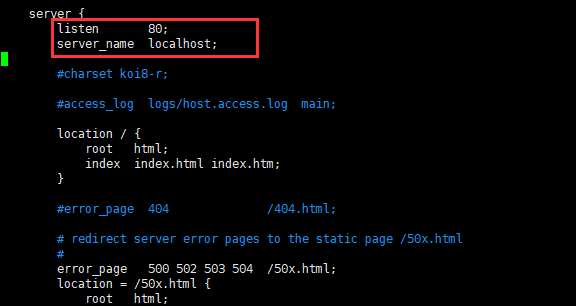
修改配置文件
vim conf/nginx.conf
启动nginx服务
cd /usr/local/nginx/sbin
执行命令
./nginx

立即停止服务 ./nginx -s stop

从容停止服务 ./nginx -s quit

结束进程 kill  masterPID
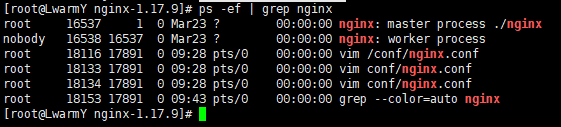
查看nginx服务是否启动成功
ps -ef | grep nginx
开放80端口
firewall-cmd --zone=public --add-port=80/tcp --permanent
重载新开放的端口
firewall-cmd --reload
阿里云服务器需要添加安全组
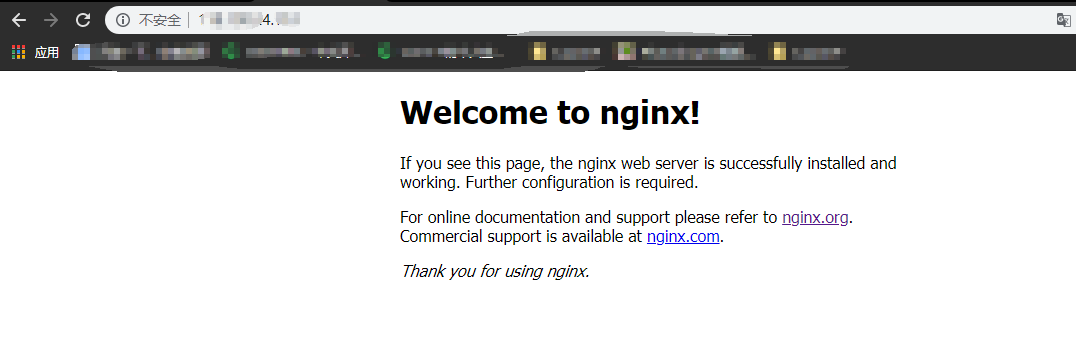
远程连接测试
注册服务,开机启动
添加服务
vim /etc/systemd/system/nginx.service
复制粘贴以下内容:
[Unit]Description=nginx - high performance web serverDocumentation=http://nginx.org/en/docs/After=network.target remote-fs.target nss-lookup.target[Service]Type=forkingPIDFile=/usr/local/nginx/logs/nginx.pidExecStartPre=/usr/local/nginx/sbin/nginx -t -c /usr/local/nginx/conf/nginx.confExecStart=/usr/local/nginx/sbin/nginx -c /usr/local/nginx/conf/nginx.confExecReload=/bin/kill -s HUP $MAINPIDExecStop=/bin/kill -s QUIT $MAINPIDPrivateTmp=true[Install]WantedBy=multi-user.target
注意:ExecStart配置成自己的路径
systemctl daemon-reload --重新加载服务的配置文件
systemctl start nginx.service --启动redis服务
systemctl enable nginx.service --设置开机启动
来源:oschina
链接:https://my.oschina.net/warm6Y/blog/3210000