
I have a Swift application that is launching a simple NSWindow, like so:
func applicationDidFinishLaunching(notification: NSNotification!) {
    let storyboard = NSStoryboard(name: "MainStoryboard", bundle: NSBundle.mainBundle())
    windowController = storyboard.instantiateInitialController() as? NSWindowController
    windowController?.showWindow(self)
}
This works great, my app launches and the window appears. However: The size is always the same.
In the storyboard, I have specified an Autosave name:
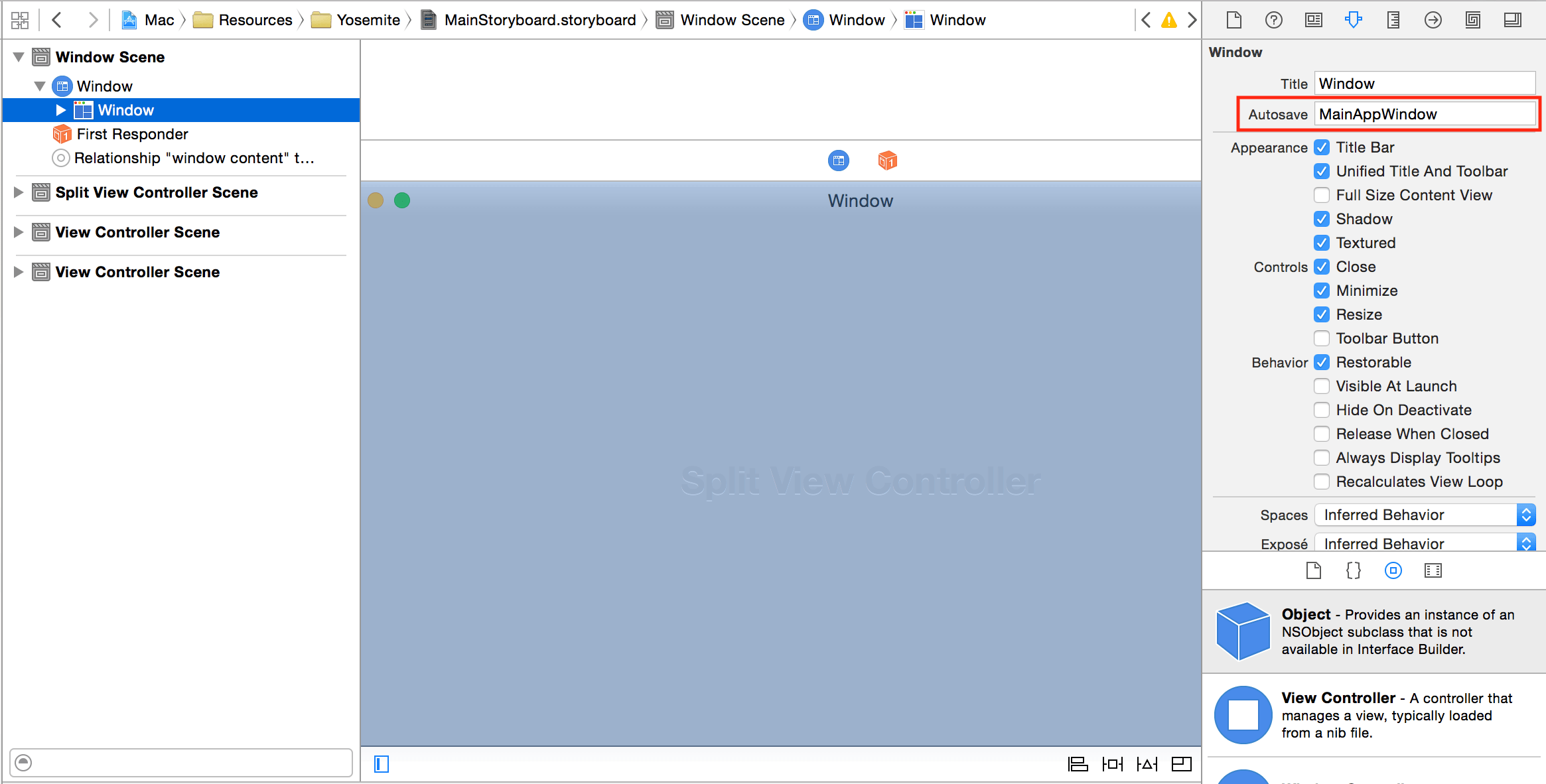
Note also the Restorable checkbox is checked.
But regardless, the window appears the same size, every time. This has always "just worked" in the past, so I can't tell if this is a bug, or a piece I'm missing. Does autosaving automatically work with storyboards when instantiating and showing windows manually?
This seems to be an Xcode bug. I was able to workaround it by manually setting the NSWindowController windowFrameAutosaveName property:
windowController?.windowFrameAutosaveName = "Main App Window"
However... This only worked for me if the property was set to a different value than what is displayed in Interface Builder. If it's programmatically set to the same value that's being used in IB, it doesn't work.
So in IB the autosave name is left to MainAppWindow, and programmatically it's set to Main App Window.
I don't know if there is a better way, but the problem here is that when the AutosaveName is set in Interface Builder, and the Window is open via a Segue, the window is open at a predefined location and the frame is saved, overwriting the last saved frame...
If you have a predefined position to the center of the screen, each time the window will be open, it will appear in the center and the position will be saved.
To avoid this, I set the AutosaveName in the Window Controller (Not in IB), after restoring the saved Frame:
class MyWindowController: NSWindowController {
    override func windowDidLoad() {
        super.windowDidLoad()

        let thewindow = window as! NSWindow

        /// restore position
        thewindow.setFrameUsingName("MyWindow")
        self.windowFrameAutosaveName = "MyWindow"
    }
}
来源:https://stackoverflow.com/questions/25150223/nswindowcontroller-autosave-using-storyboard