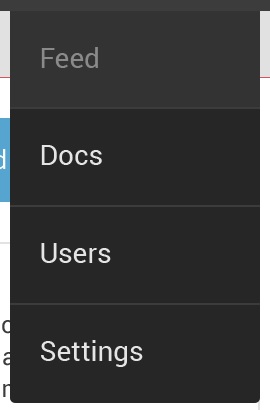
Currently I have an overflow menu which has default width:

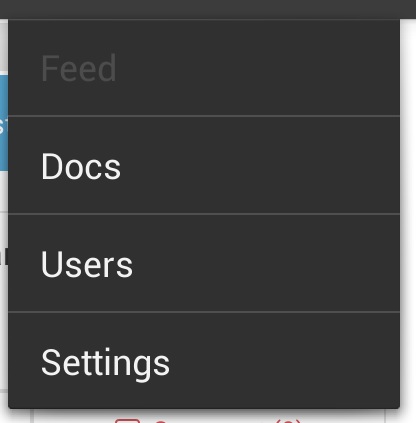
What I want is:
I have tried changing the theme this way:
<style name="MyWorkspaceDetailTheme" parent="@android:style/Theme.Holo.Light.DarkActionBar"> <item name="android:popupMenuStyle">@style/MyPopupMenu</item> </style> <style name="MyPopupMenu" parent="@android:style/Widget.Holo.ListPopupWindow"> <item name="android:dropDownWidth">30dp</item> </style>
but didn't got any success. Please can anyone help.
I was follwing this[http://keepsafe.github.io/2014/11/19/building-a-custom-overflow-menu.html] tutorial but it did not mention way to change width
So i was also looking same answer and been searching for while, All the questions on Stackoverflow was unanswered. Finally i had to dig the developer.google.com to find out a way.
http://developer.android.com/reference/android/widget/ListPopupWindow.html
you will find a method setContentWidth(int width) which actually does our work.
Here is the answer
//.......... Something on top popupMenu.show(); // Try to force some horizontal offset try { Field fListPopup = menuHelper.getClass().getDeclaredField("mPopup"); fListPopup.setAccessible(true); Object listPopup = fListPopup.get(menuHelper); argTypes = new Class[] { int.class }; Class listPopupClass = listPopup.getClass(); // Get the width of the popup window int width = (Integer) listPopupClass.getDeclaredMethod("getWidth").invoke(listPopup); // Invoke setHorizontalOffset() with the negative width to move left by that distance listPopupClass.getDeclaredMethod("setHorizontalOffset", argTypes).invoke(listPopup, -width); /*********** THIS LINE DOSE OUR WORK and increases the width of OverFlow Menu ******/ listPopupClass.getDeclaredMethod("setContentWidth", argTypes).invoke(listPopup, width+200); // Invoke show() to update the window's position listPopupClass.getDeclaredMethod("show").invoke(listPopup); } catch (Exception e) { // Again, an exception here indicates a programming error rather than an exceptional condition // at runtime Log.w("Soemthing", "Unable to force offset", e); }
To this == >