
I am loading data into an array from MySQL, and I would like to populate them in UITableCiew. How can I add multiple columns (in my case 4) to UITableView?
I was able to load the row data but I do not understand how I can divide it up into columns. Is UICollectionView an option? If it is, how can I go about it?
UICollectionView is available in Available in iOS 6.0 and later and therefore cannot be used if you want to support earlier version.
And as per your requirement you need to display a GridView
So to support earlier versions and get other cool features you can use other libraries here are some of the options:
1) KKGridView
2) UIGridView
3) AQGridView
4) NRGridView
5) MMGridView
6) WCGridView
I am currently using AQGridView so surely i recommend that as it is the least buggy and its functions are very similar to UITableView.
Also that If you are trying to do this without XIB it will be little bit difficult for you to handle it but you can create a view controller with Xib file to Create the interface of your choice. Here is the Video of how it can be done in the best possible way by Evadne Wu. And here is the Sample Project
If you are looking for something like this:
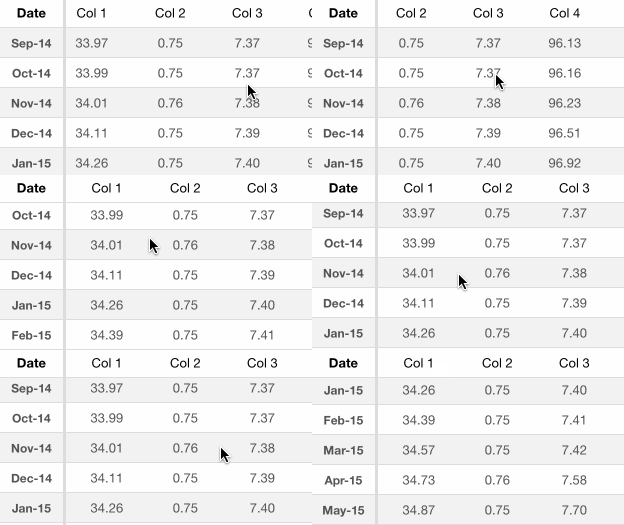
You should definitely check this awesome post: http://www.brightec.co.uk/blog/uicollectionview-using-horizontal-and-vertical-scrolling-sticky-rows-and-columns
Also you can directly go to their source code from here: https://github.com/brightec/CustomCollectionViewLayout
Implemented in obj-c both they recently migrated to swift. They are using UICollectionView as you can see the details from the post.
UICollectionView is correct option. Check this for details.
Its functioning is similar to tableView with delegate, datasource, numberOfSections Rows etc. Just read that document, you will understand. If you find any problem put your code. Will help.
来源:https://stackoverflow.com/questions/17257970/multiple-columns-to-uitableview-in-ios