python爬虫实战项目之爬取豆瓣最受欢迎的250部电影
主要思路,请求豆瓣的链接获取网页源代码
然后使用 BeatifulSoup 拿到我们要的内容
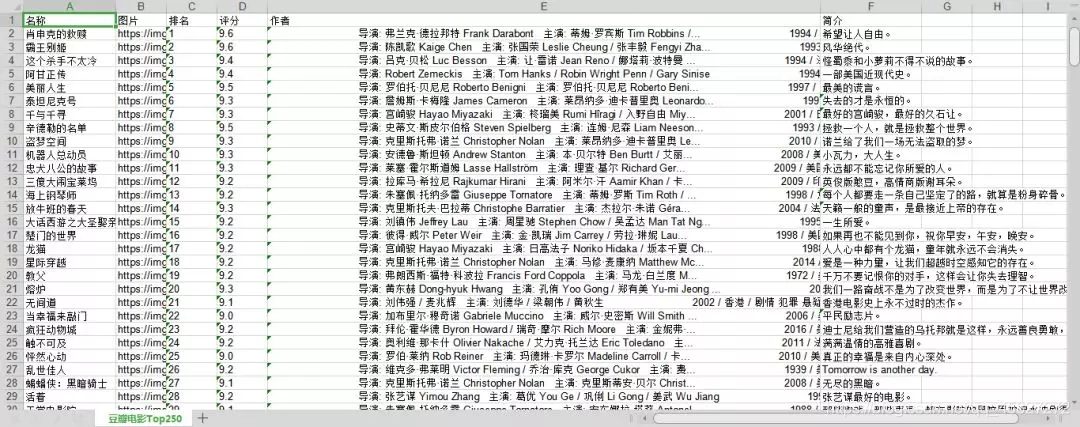
最后就把数据存储到 excel 文件中
主要思路,请求豆瓣的链接获取网页源代码
然后使用 BeatifulSoup 拿到我们要的内容
最后就把数据存储到 excel 文件中

项目源码分享
 1 '''
 2 在学习过程中有什么不懂得可以加我的
 3 python学习交流扣扣qun,934109170
 4 群里有不错的学习教程、开发工具与电子书籍。
 5 与你分享python企业当下人才需求及怎么从零基础学习好python,和学习什么内容。
 6 '''
 7
 8 import requests
 9 from bs4 import BeautifulSoup
10 import xlwt
11
12
13 def request_douban(url):
14     try:
15         response = requests.get(url)
16         if response.status_code == 200:
17             return response.text
18     except requests.RequestException:
19         return None
20
21
22 book = xlwt.Workbook(encoding='utf-8', style_compression=0)
23
24 sheet = book.add_sheet('豆瓣电影Top250', cell_overwrite_ok=True)
25 sheet.write(0, 0, '名称')
26 sheet.write(0, 1, '图片')
27 sheet.write(0, 2, '排名')
28 sheet.write(0, 3, '评分')
29 sheet.write(0, 4, '作者')
30 sheet.write(0, 5, '简介')
31
32 n = 1
33
34
35 def save_to_excel(soup):
36     list = soup.find(class_='grid_view').find_all('li')
37
38     for item in list:
39         item_name = item.find(class_='title').string
40         item_img = item.find('a').find('img').get('src')
41         item_index = item.find(class_='').string
42         item_score = item.find(class_='rating_num').string
43         item_author = item.find('p').text
44         if (item.find(class_='inq') != None):
45             item_intr = item.find(class_='inq').string
46
47         # print('爬取电影:' + item_index + ' | ' + item_name +' | ' + item_img +' | ' + item_score +' | ' + item_author +' | ' + item_intr )
48         print('爬取电影:' + item_index + ' | ' + item_name + ' | ' + item_score + ' | ' + item_intr)
49
50         global n
51
52         sheet.write(n, 0, item_name)
53         sheet.write(n, 1, item_img)
54         sheet.write(n, 2, item_index)
55         sheet.write(n, 3, item_score)
56         sheet.write(n, 4, item_author)
57         sheet.write(n, 5, item_intr)
58
59         n = n + 1
60
61
62 def main(page):
63     url = 'https://movie.douban.com/top250?start=' + str(page * 25) + '&filter='
64     html = request_douban(url)
65     soup = BeautifulSoup(html, 'lxml')
66     save_to_excel(soup)
67
68
69 if __name__ == '__main__':
70
71     for i in range(0, 10):
72         main(i)
73
74 book.save(u'豆瓣最受欢迎的250部电影.xlsx')
代码运行截图
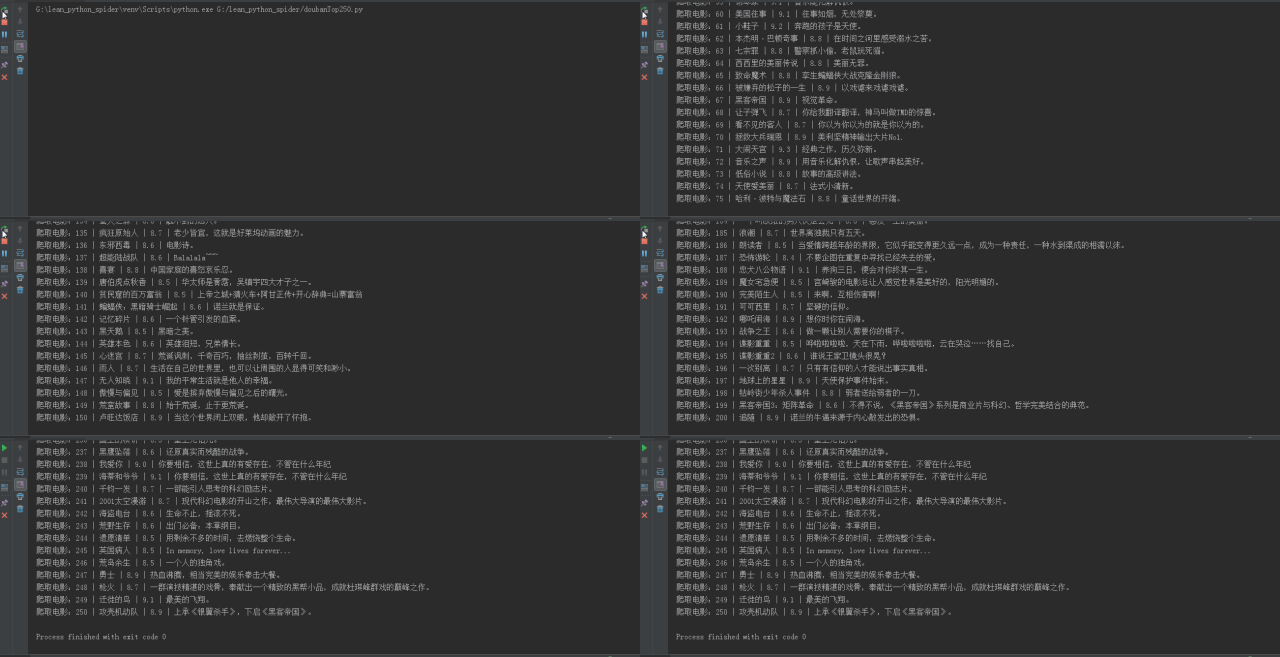
生成了一个 excel 文件