
1,背诵单词:vice 邪恶;恶习 drop滴;落下;微量 otherwise 另样,用别的方法 bind捆,绑,包括,束缚 eligible 符合条件的 narrative 叙述性的 叙述 tile 瓦片,瓷砖bundle 捆,包,束 mill 磨粉机,磨坊 heave (用力)举,提 gay 快乐的,愉快的 statistical统计的,统计学的 fence 篱笆;围栏;剑术 magnify 放大,扩大 graceful优美的,文雅的,大方的 analyse 分析,分解 artificial 人工的,人造的 privacy 独处,自由,隐私;私生活 tub 木盆,澡盆 feedback 反馈;反应;回授 property 财产,资产upper 上面的;上部的
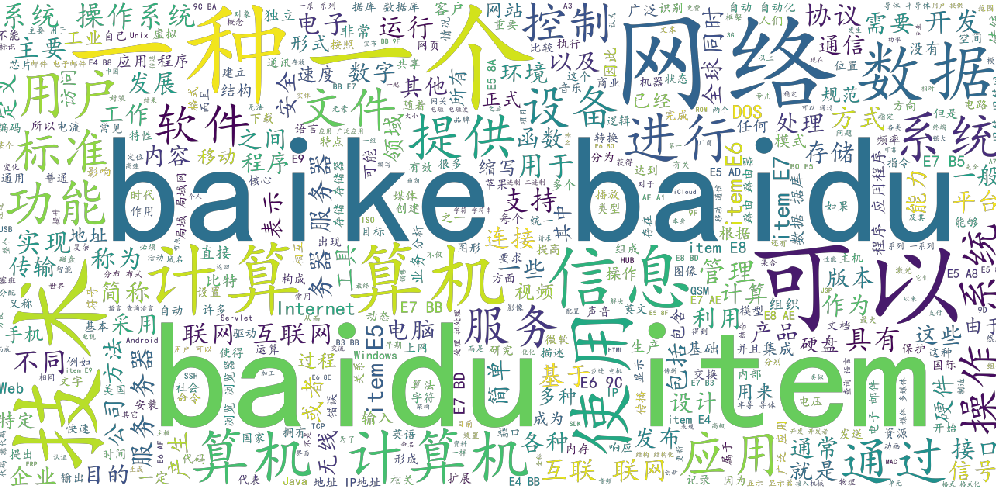
2,完善了北京信件统计系统的一些功能,爬取了百度信息领域热词并存入mysql并简单实现了词云图功能:
1,爬取百度热词的URL,存入citiao_list.txt中
import requests
import json
import re
import os
import traceback
from lxml import html
from lxml import etree
from _multiprocessing import send
from _overlapped import NULL
'''
获取词条的url链接到citiao_list.txt文件
'''
def getUrlText(url,page):
    try:
        access={"limit": "24",
                "timeout": "3000",
                "filterTags": "%5B%5D",
                "tagId": "76607",
                "fromLemma": "false",
                "contentLength": "40",
                "page": page}
        header={"User-Agent":"Mozilla/5.0 (Windows NT 10.0; Win64; x64) AppleWebKit/537.36 (KHTML, like Gecko) Chrome/73.0.3683.103 Safari/537.36"}
        r=requests.post(url,data=access,headers=header)
        r.raise_for_status()
        r.encoding=r.apparent_encoding
        print("连接成功")
        return r.text
    except:
        return "连接失败"

def getJson(html,fpath):
    date=json.loads(html)
    if date and 'lemmaList' in date.keys():
        lemmaList= date.get('lemmaList')
        for item in lemmaList:
            name = item.get('lemmaTitle')   #词条名称
            name=re.sub(r"\s+", "", name)
            Desc=item.get('lemmaDesc')     #词条简介
            Desc=re.sub(r"\s+", "", Desc)
            url = item.get('lemmaUrl')     #词条链接
            url=re.sub(r"\s+", "",url)
            #citiao=name+"&&"+Desc+"&&"+url+"\n"
            #citiao=name+"&&"+Desc+"\n"
            citiao=url+",\n"
            #citiao=Desc+"---------------"
            print(citiao)
            save__file(fpath,citiao)

 #创建文件
#file_path:文件路径
#msg:即要写入的内容
def save__file(file_path,msg):
    f=open(file_path,"a",encoding='utf-8')
    f.write(msg)
    f.close


def main():
    url="https://baike.baidu.com/wikitag/api/getlemmas"
    #pafph="citiao.txt"
    #pfaph="dancitiao.txt"
    #pfaph="fenci.txt"
    fpath="citiao_list.txt"
    page=84
    if(os.path.exists(fpath)):
        os.remove(fpath)
    else:
        for page in range(0,501):
            html= getUrlText(url,page)
            getJson(html,fpath)
            paget=page+1
            print("第%s页"%paget)

main()
2,通过citiao_list.txt文件中的URL爬取词条名称和简介并存入citiao.txt中
import requests;
import re
import os
import traceback
from lxml import html
from lxml import etree
from _multiprocessing import send
from _overlapped import NULL

#获取HTML内容
def getHTMLText(url):
    access={"User-Agent":"Mozilla/5.0 (Windows NT 10.0; Win64; x64; rv:72.0) Gecko/20100101 Firefox/72.0"}
    try:
        r=requests.get(url,headers=access)
        r.raise_for_status()
        r.encoding=r.apparent_encoding
        return r.text
    except:
        return "无法连接"

def get_citiao_massage(lst,url,fpath):
    #url="http://baike.baidu.com/item/COUNTA/7669327"
    print(url)
    citiao_html=getHTMLText(url)
    soup=etree.HTML(citiao_html)
    #词条名称dd class="lemmaWgt-lemmaTitle-title"  h1 text()
    name1=soup.xpath("//dd[@class='lemmaWgt-lemmaTitle-title']/h1/text()")
    name2=soup.xpath("//dd[@class='lemmaWgt-lemmaTitle-title']/h2/text()")
    name1="".join(name1)
    if "".join(name2)=="":
        name2=""
    else:
        name2="".join(name2)
    name=name1+name2
    #词条详情div class="lemma-summary"  text()
    desc=soup.xpath("//div[@class='lemma-summary']/div/text()")
    desc="".join(desc)
    desc=re.sub(r"\s+", "", desc)
    url=re.sub(r"\s+", "", url)
    citiao=name+"&&"+desc+"&&"+url+"\n"
    print(citiao)
    save__file(fpath,citiao)
    return citiao

#创建文件
#file_path:文件路径
#msg:即要写入的内容
def save__file(file_path,msg):
    f=open(file_path,"a",encoding='utf-8')
    f.write(msg)
    f.close

def Run(out_put_file,fpath):
    urls=""
    lsts=[]
    lst=[]
    cond=0
    with open(out_put_file,"r") as f:
        urls=f.read()
    lsts=urls.split(",")
    for i in lsts:
        citiao=""
        citiao=get_citiao_massage(lst,i,fpath)
        if citiao=="":
            continue
        lst.append(citiao)
        cond+=1
        print("\n当前速度:{:.2f}%".format(cond*100/len(lsts)),end="")
    return lst

#主函数
def main():
    fpath="citiao.txt"
    out_put_file="citiao_list.txt"
    if(os.path.exists(fpath)):
        os.remove(fpath)
    else:
        lst=[]
        lst=Run(out_put_file, fpath)
        for i in lst:
            print(i+"aaa")

#程序入口
main()
3,对citiao.txt中内容进行分词,根据每个词的出现频率展示词云图
import requests;
import re
import os
import traceback
from lxml import html
from lxml import etree
from _multiprocessing import send
from _overlapped import NULL

#获取HTML内容
def getHTMLText(url):
    access={"User-Agent":"Mozilla/5.0 (Windows NT 10.0; Win64; x64; rv:72.0) Gecko/20100101 Firefox/72.0"}
    try:
        r=requests.get(url,headers=access)
        r.raise_for_status()
        r.encoding=r.apparent_encoding
        return r.text
    except:
        return "无法连接"

def get_citiao_massage(lst,url,fpath):
    #url="http://baike.baidu.com/item/COUNTA/7669327"
    print(url)
    citiao_html=getHTMLText(url)
    soup=etree.HTML(citiao_html)
    #词条名称dd class="lemmaWgt-lemmaTitle-title"  h1 text()
    name1=soup.xpath("//dd[@class='lemmaWgt-lemmaTitle-title']/h1/text()")
    name2=soup.xpath("//dd[@class='lemmaWgt-lemmaTitle-title']/h2/text()")
    name1="".join(name1)
    if "".join(name2)=="":
        name2=""
    else:
        name2="".join(name2)
    name=name1+name2
    #词条详情div class="lemma-summary"  text()
    desc=soup.xpath("//div[@class='lemma-summary']/div/text()")
    desc="".join(desc)
    desc=re.sub(r"\s+", "", desc)
    url=re.sub(r"\s+", "", url)
    citiao=name+"&&"+desc+"&&"+url+"\n"
    print(citiao)
    save__file(fpath,citiao)
    return citiao

#创建文件
#file_path:文件路径
#msg:即要写入的内容
def save__file(file_path,msg):
    f=open(file_path,"a",encoding='utf-8')
    f.write(msg)
    f.close

def Run(out_put_file,fpath):
    urls=""
    lsts=[]
    lst=[]
    cond=0
    with open(out_put_file,"r") as f:
        urls=f.read()
    lsts=urls.split(",")
    for i in lsts:
        citiao=""
        citiao=get_citiao_massage(lst,i,fpath)
        if citiao=="":
            continue
        lst.append(citiao)
        cond+=1
        print("\n当前速度:{:.2f}%".format(cond*100/len(lsts)),end="")
    return lst

#主函数
def main():
    fpath="citiao.txt"
    out_put_file="citiao_list.txt"
    if(os.path.exists(fpath)):
        os.remove(fpath)
    else:
        lst=[]
        lst=Run(out_put_file, fpath)
        for i in lst:
            print(i+"aaa")

#程序入口
main()
3,遇到的问题:
1,爬取百度百科词条URL时发现百度百科的词条是通过Ajax传的json数据在前端渲染展示的,而且是通过post方式传的数据,因此网上查找,通过requests库的post方法,将参数设置好就能访问到json数据了,然后通过json库的loads方法将json数据转为list类型,从而取得每个词条的URL链接
2,生成词云图的代码我看的不是太懂
3,关于对词条分类我初步猜想可以通过对特定的分类根据词条的简介进行模糊查询进行分类
4,对词条与词条之间的关系图不知道怎么实现
4,明天就上课了,希望在新的学期能学到很多知识
来源:https://www.cnblogs.com/lq13035130506/p/12319392.html