
问题
I recently changed from Spyder to PyCharm as a Python IDE. In Spyder I have often used the variable explorer feature (see picture). Is this feature also available in PyCharm?
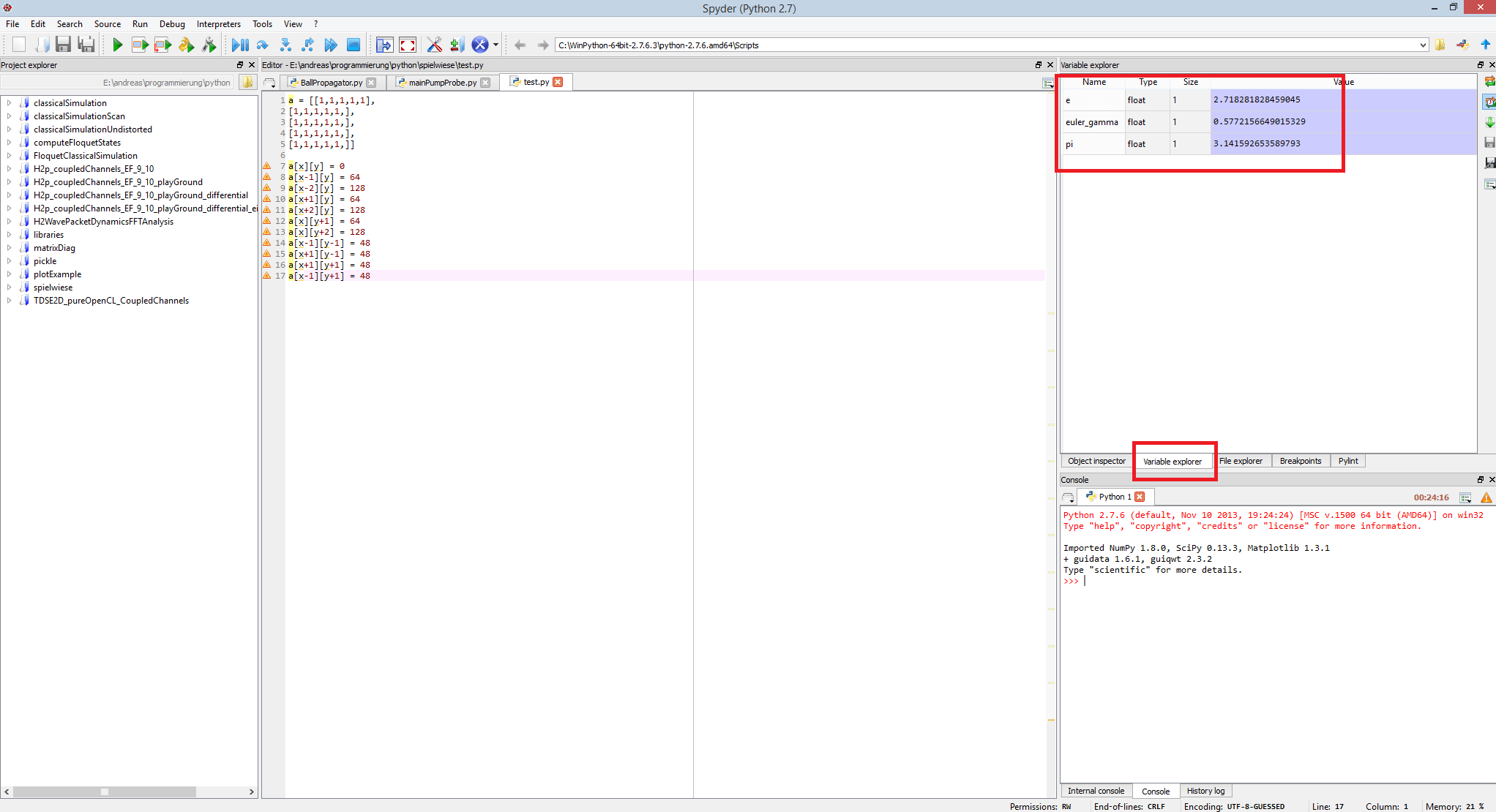
I found this here, that "Variable explorer in Python console (traff)" should be included in PyCharm 3, but I cannot find that. Maybe someone could tell me how to use that tool.
回答1:
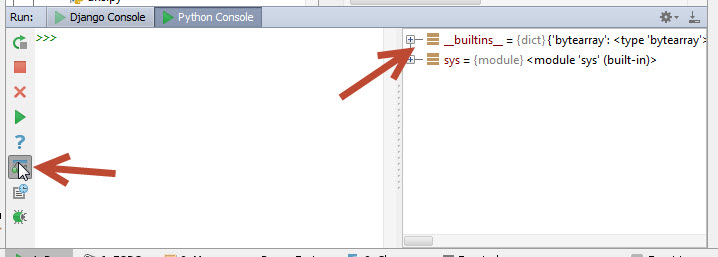
The variable list is available in the python console Tools --> Run Python Console... as shown in the screen shot below. Similar functionality for showing variables and watched variables is available in the debugger console.
回答2:
I like Spyder for interacting with my variables and PyCharm for editing my scripts. Alternative Solution: use both simultaneously. As I edit in PyCharm (on Mac OS), the script updates live in spyder. Best of both worlds!
回答3:
For your second question: you can also select your code and press shift + alt + E to run a part of your script on to the python console
回答4:
The simple trick:
put any dummy line at the end of your code, e.g.
print('hi')
and set break point at this line.
Then, run your code in debug mode. Enjoy! The screenshots of editor and debug window are shown for your reference.
回答5:
PyCharm has SciView for exploring variables in almost exactly the same manner as Spyder. Simply execute the selection or cell in console, then click View as Array in the Special Variable pane. Special Variable Pane
回答6:
If you want to inspect variables that contain arrays or datasets, like Spyder and see them as a nice table, you can do bellow :
1- Put a breakpoint after the variable that you like to inspect ( in my case, it's dataset) :
2- Run the debugger ( the little bug on the top-right side of pyCharm).
The debugger will then stop on the line and you'll see something like below in your debugger window at the bottom of the pyCharm.
3- Right click on the variable and select View As DataFrame
4- You then will be presented by a nice table like below :
回答7:
Right-click on the file and click Run file in console. Everytime you run it, the variables will show in the console until you click the stop button.
回答8:
If you want to view the complete dataset or an array do this:
- Go to python console in pycharm
- On the right usually, in the special variables tab, scroll down and find your data frame or csv you want to visualize.
- Right click on the data frame/dataset and see for the option view as array/data frame.
- There you go, you can see a tab opened containing your data.
回答9:
Step 1. Make a breakpoint by pressing on the right of the line numbers. Step 2. Click the debug button or right click then debug Step 3. Press the button above the settings button in the console to view the variables Step 4. Double click the variable of what you want to check the values. You can also right click that particular variable and view it as a dataframe.
来源:https://stackoverflow.com/questions/23941580/is-there-a-variable-explorer-for-pycharm