
问题
I have a pretty standard Magento installation (Magento ver. 1.7.0.2) and I have enabled PayPal Express settings (Including API username. password & Signature all filled in). I have set the default theme to blank so that it doesn't use any of my template files but the button is not showing on any pages (product, basket or checkout - These options are set to show in the admin).
So even with the default Magento theme non of the paypal buttons show up. Anyone seen this before? Can anyone shed any light on this?
Thanks
edit p.s. Mage_Paypal & Mage_PaypalUk both enabled in Advanced.
回答1:
its seems like you have enabled paypal with another configuration scope ..Not in Default configuration scope or may be you have disabled paypal exp in your current configuration scope. It will override Default configuration scope even you enabled in Default configuration scope. Make sure about this..
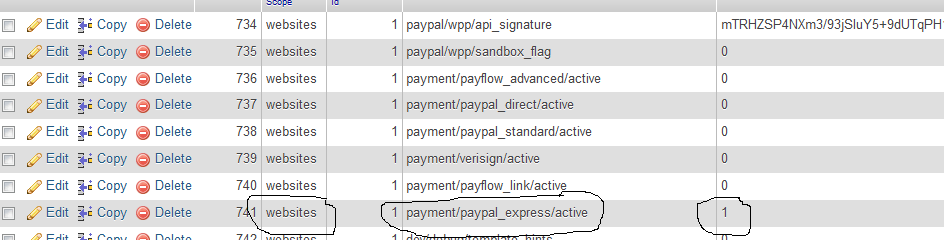
Just go to your database. open core_config_data table enable to view all datas with one page. Here you can see all your paypal configs. If you see any paypal configs with websites or something not like default in scope field then you have configured paypal for your current configuration scope.
Update :
consider your current config scope is website. In your core_config_data table set value to "1" for this payment/paypal_express/active for only the other config scopes (website) not the default. Just have a look at the following image. Then check again..It should be work now..!
来源:https://stackoverflow.com/questions/19705564/magento-paypal-express-not-showing