
问题
I want to get the same effect as Pinterest Map (ex. www.pinterest.com/airbnb/loved-by-parisians/) with Google Maps v3.
So far I have come to this: http://jsfiddle.net/tdff3/9xEEG/
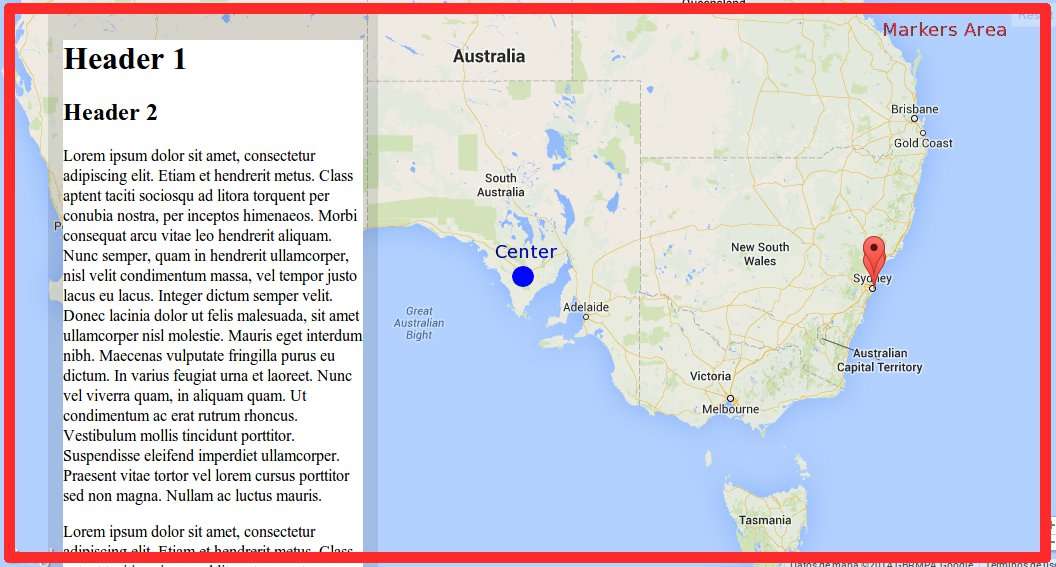
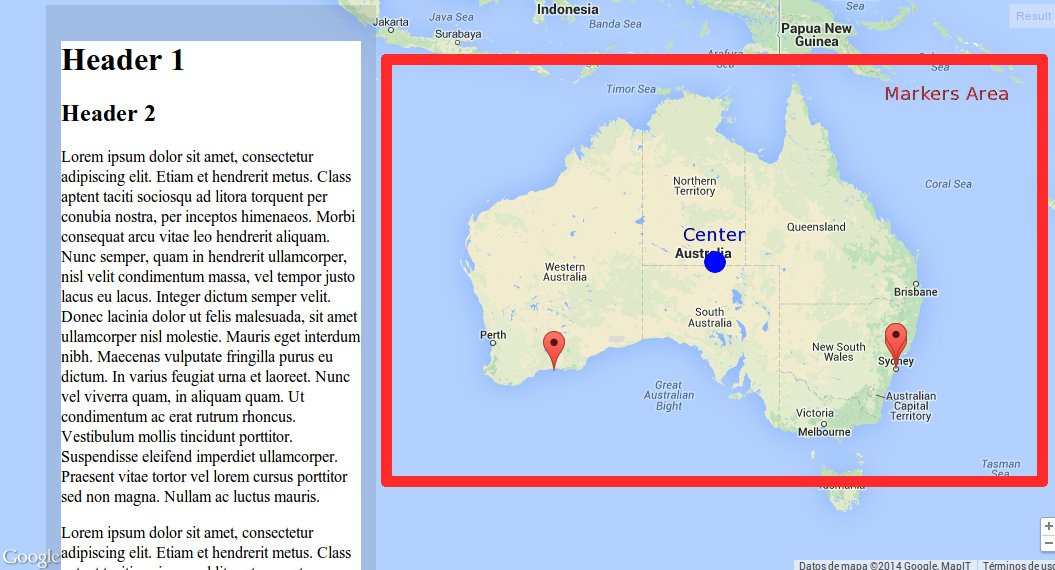
I get one thing missing: Move the center map position and change the markers visible area to the right, working responsive for different resolutions.
Now:
What I want:
function initialize()
{
    var mapOptions =
    {
        zoom: 8,
        center: new google.maps.LatLng( -33.9, 151.2 ),
        disableDefaultUI: true,
        zoomControl: true,
        zoomControlOptions:
        {
            style: google.maps.ZoomControlStyle.SMALL,
            position: google.maps.ControlPosition.RIGHT_BOTTOM
        },
        scrollwheel: false
    };

    var map = new google.maps.Map
    (
        document.getElementById( 'map-canvas' ),
        mapOptions
    );

    var beaches =
    [
        [ 'Bondi Beach', -33.890542, 151.274856, 4 ],
        [ 'Coogee Beach', -33.423036, 151.259052, 5 ],
        [ 'Cronulla Beach', -34.028249, 121.157507, 3 ],
        [ 'Manly Beach', -33.80010128657071, 151.28747820854187, 2 ],
        [ 'Maroubra Beach', -33.450198, 151.259302, 1 ]
    ];

    setMarkers( map, beaches );
}

function setMarkers( map, locations )
{
    var bounds = new google.maps.LatLngBounds();

    for( var i = 0; i < locations.length; i++ )
    {
        var beach = locations[ i ];
        var myLatLng = new google.maps.LatLng( beach[ 1 ], beach[ 2 ] );
        var marker = new google.maps.Marker(
        {
            position: myLatLng,
            map: map,
            title: beach[ 0 ],
            zIndex: beach[ 3 ]
        } );

        bounds.extend( myLatLng );
    }

    map.fitBounds( bounds );
}

function loadScript()
{
    var script = document.createElement( 'script' );
    script.type = 'text/javascript';
    script.src = 'https://maps.googleapis.com/maps/api/js?v=3.exp&sensor=false&' +
        'callback=initialize';
    document.body.appendChild( script );
}

window.onload = loadScript;
回答1:
The markers area which I believe would be the extended bounds for all markers is not the same on the 2 pictures you posted.
If you have markers all over Australia, then the bounds would look something like in your second picture. If not, but you still want to achieve this specific view, then you will probably need to play with the zoom level to make sure it is displayed this way, or to define these bounds manually.
Regarding the move of the map to the right, you could use the map panBy() method which allows you to change the center of the map by a given distance in pixels.
Hope this helps!
来源:https://stackoverflow.com/questions/21453329/google-maps-v3-like-pinterest-map-move-center-position-and-change-markers-area