
问题
I am trying to write a file to the external storage of the android. On the AndroidManifest.xml I've added (within the manifest tag)
<uses-permission android:name="android.permission.WRITE_EXTERNAL_STORAGE"/>
then I tried:
File root = Environment.getExternalStorageDirectory();
File file = new File(root, xmlFilename);
file.createNewFile();
And then I get the exception. How may I resolve this?
回答1:
Make sure your SD card is not mounted to your computer. If you have enabled USB storage, your SD card becomes read-only for Android.
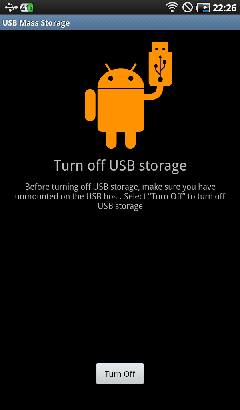
Other then that, your application looks fine and should work.
Oh, and I would modify your code in a next way:
if(root.canWrite()){
    File file = new File(root, "file.xml");
    file.createNewFile();
}
回答2:
Do you have the permissions set in the manifest?
<uses-permission android:name="android.permission.WRITE_EXTERNAL_STORAGE" />
You can also just replace "root" with your call to get the directory rather than declaring it. What is the value of xmlFilename?
回答3:
Ensure you have the correct permissions to write to the file. In your manifest file, include this line
<uses-permission android:name="android.permission.WRITE_EXTERNAL_STORAGE" />.
来源:https://stackoverflow.com/questions/6076573/ioexception-permission-denied