
问题
I wanted to have up/home arrow button in my activity ActionBar to provide users option for navigating up. In my activity, I have set set getActionBar().setDisplayHomeAsUpEnabled(true); and also have defined parentActiviy in Manifest like this:
<activity
        android:name="com.g_node.gca.map.MapActivity"
        android:parentActivityName="com.g_node.gca.MainActivity"
        android:label="@string/title_activity_map" >
</activity>
It works and I see a left-arrow icon before the icon in ActionBar, that onClick takes back to parentActivity. But I don't see any change in state of actionbar title or icon, when it's clicked/pressed.
How can I style that so when user clicks on that icon, it shows a pressed state? Like in following screenshot:
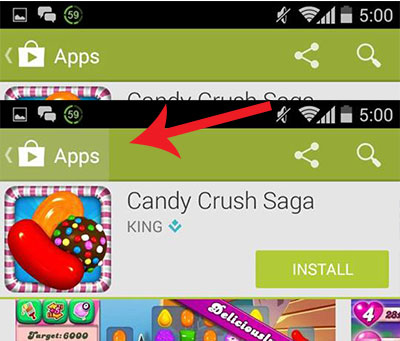
Moreover, How can I set the padding between the left-arrow icon and the actionbar icon ? In my activity actionbar, both are almost sticked, see screenshot below for reference:
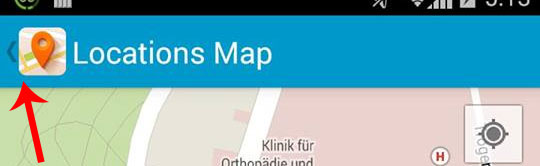
One more thing - I'm setting this icon in my activity pragmatically using getActionBar().setIcon(getResources().getDrawable(R.drawable.icon_maps)); and icon size is 128 x 128.
Thankyou in advance for help.
回答1:
You can change the background by setting the actionBarItemBackground attribute in your theme. This should be a state-list drawable which reflects states such as pressed and focused.
@android:color/transparent
来源:https://stackoverflow.com/questions/25036709/actionbar-back-home-arrow-padding-and-pressed-state