
问题
I am unable to change the ANDROID SDK path in Android STUDIO IDE . Even after changing path it still reflecting in the default path C:\/Appdata\Local/Android\sdk
My question is, Is it possible to change the native Android_SDK path in STUDIO IDE in windows machine ?
回答1:
Go to Preferences
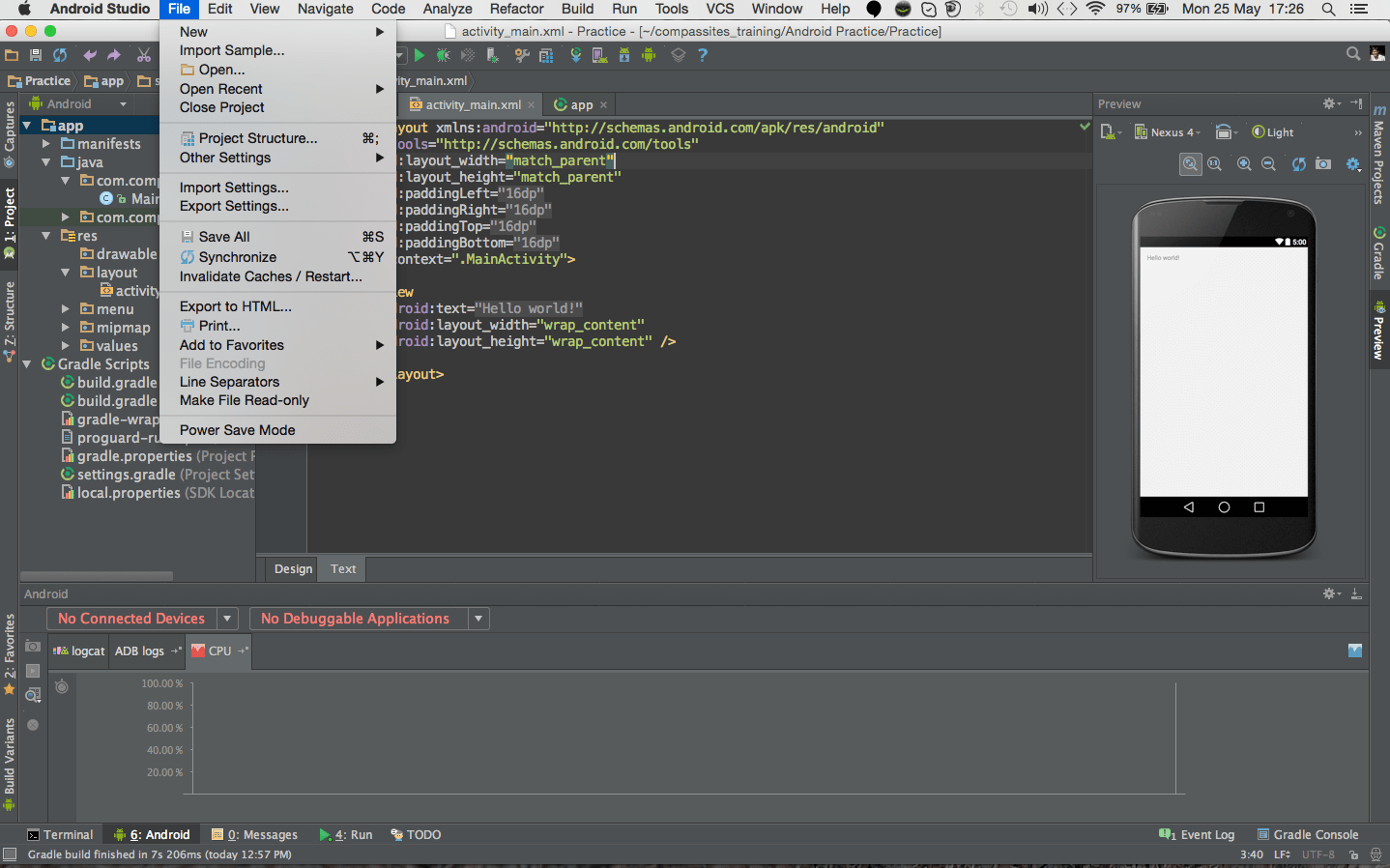
Then Go to SDK option
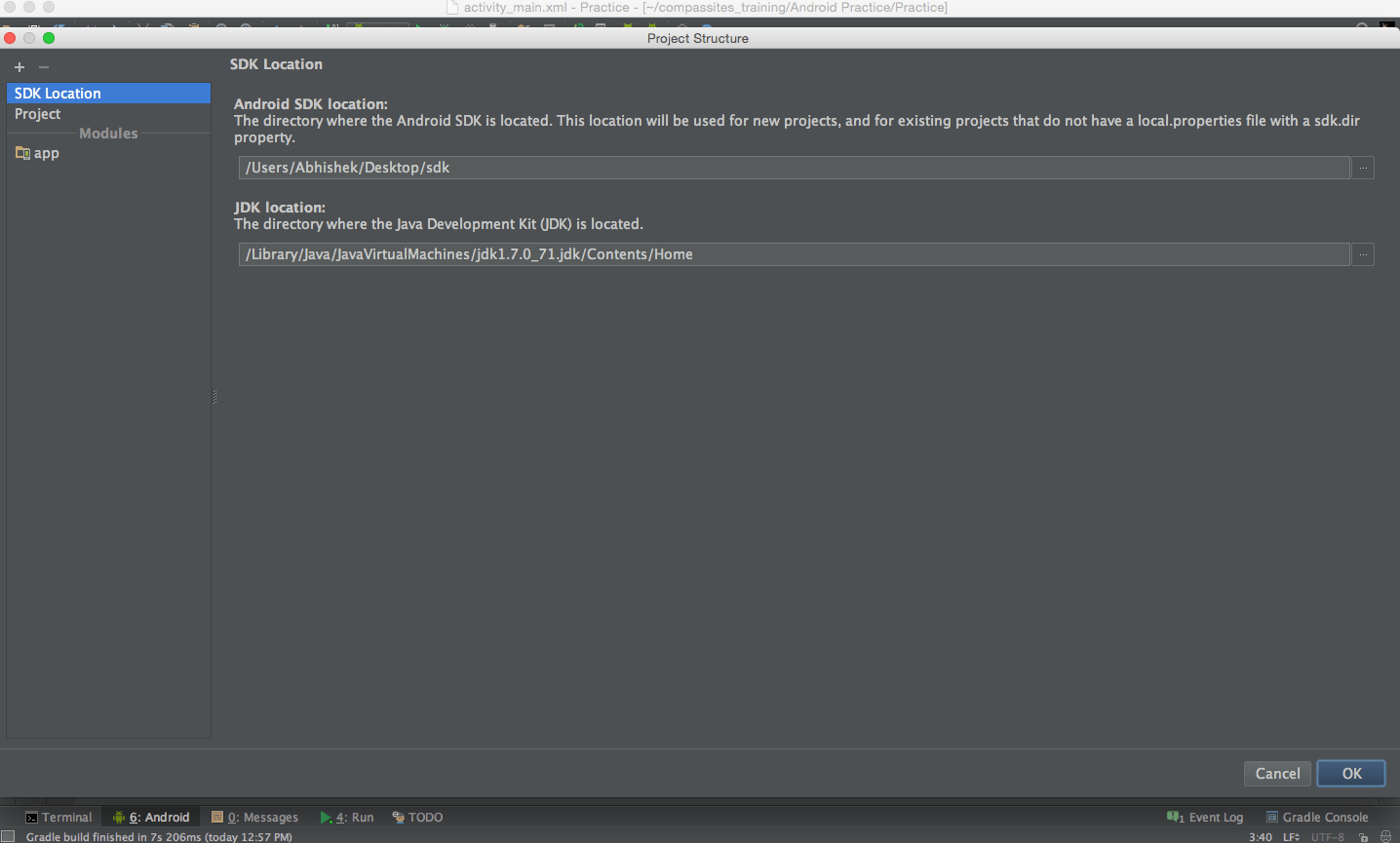
Then Choose the location of your sdk folder
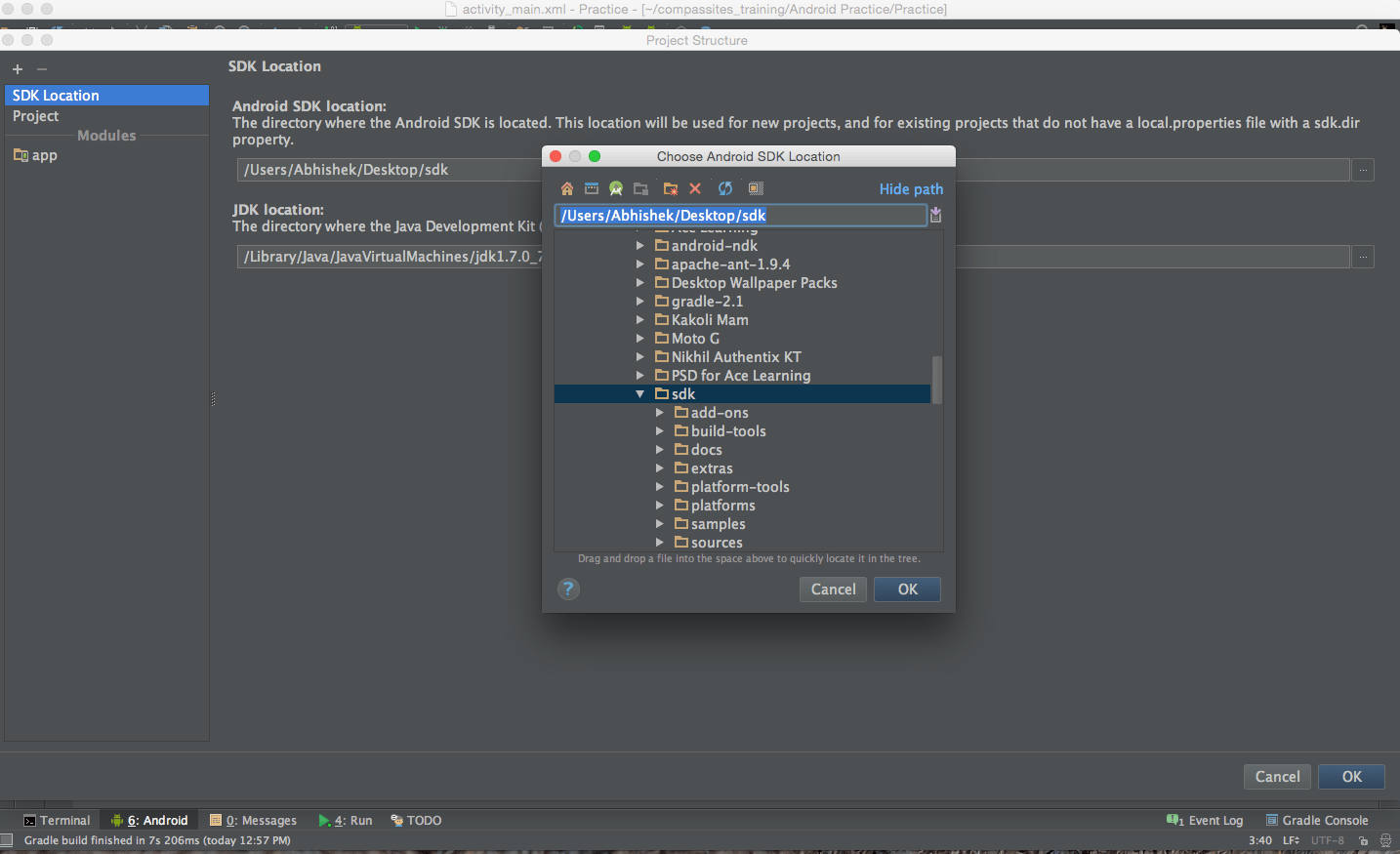
This Screenshots are from my Mac. The similar process you can follow for your Windows Device.
回答2:
Changes Android SDK Location in Windows OS
- Click on File > Project Structure
- Change the Android SDK Location.
来源:https://stackoverflow.com/questions/30437653/unable-to-change-sdk-path-in-android-studio