
最近迷上了这个工具,启动速度快,好多插件。唯一不满意的地方就是svn版本控制工具。下面发现我装的一些插件及配置:
我安装的一些插件:
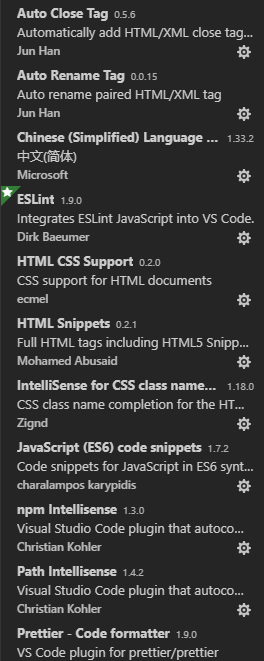
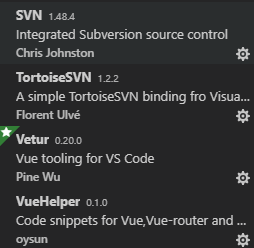
上面是我装的插件,等有时间再解释下插件的作用。
接下来说下配置:
进入设置步骤:
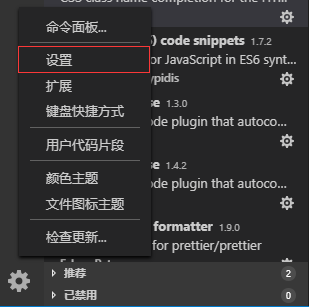
进入设置页面选择工作区设置
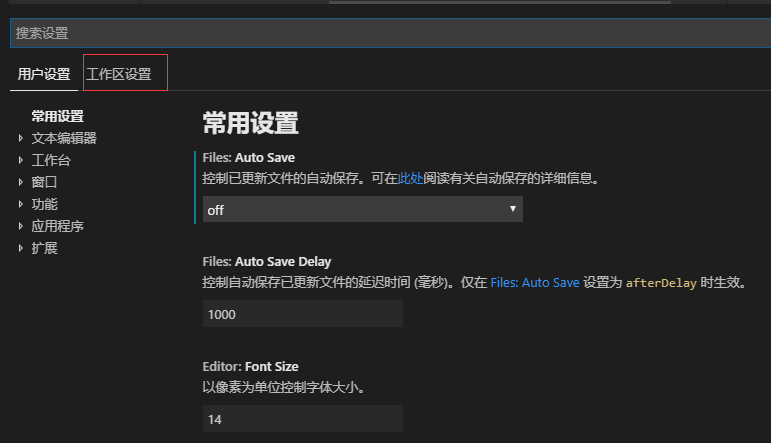

这是我的一些设置如下:
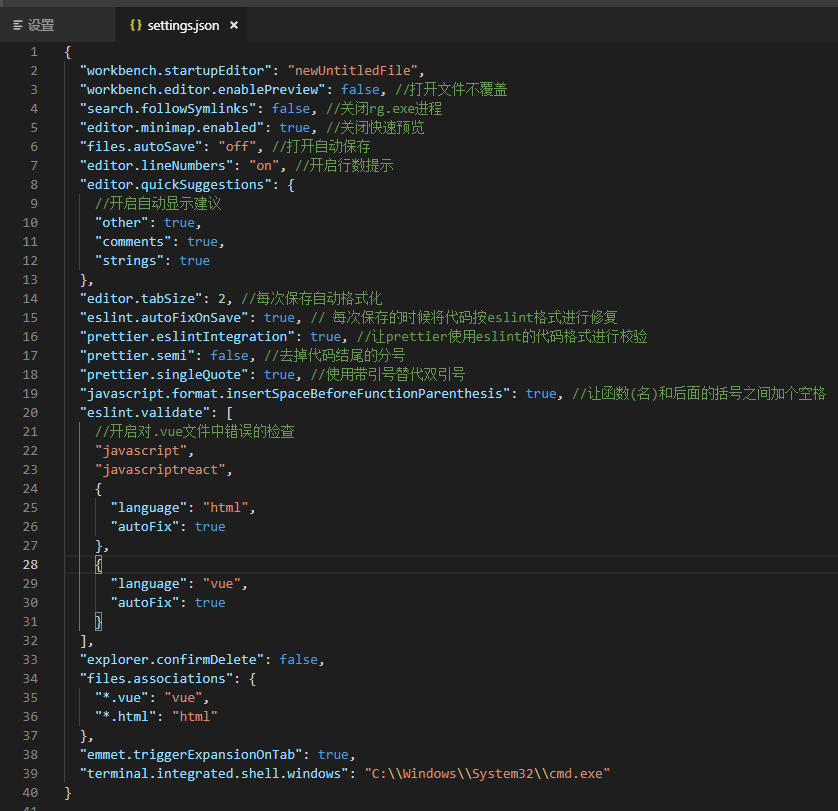
附上设置类容:
{
  "workbench.startupEditor": "newUntitledFile",
  "workbench.editor.enablePreview": false, //打开文件不覆盖
  "search.followSymlinks": false, //关闭rg.exe进程
  "editor.minimap.enabled": true, //关闭快速预览
  "files.autoSave": "off", //打开自动保存
  "editor.lineNumbers": "on", //开启行数提示
  "editor.quickSuggestions": {
    //开启自动显示建议
    "other": true,
    "comments": true,
    "strings": true
  },
  "editor.tabSize": 2, //每次保存自动格式化
  "eslint.autoFixOnSave": true, // 每次保存的时候将代码按eslint格式进行修复
  "prettier.eslintIntegration": true, //让prettier使用eslint的代码格式进行校验
  "prettier.semi": false, //去掉代码结尾的分号
  "prettier.singleQuote": true, //使用带引号替代双引号
  "javascript.format.insertSpaceBeforeFunctionParenthesis": true, //让函数(名)和后面的括号之间加个空格
  "eslint.validate": [
    //开启对.vue文件中错误的检查
    "javascript",
    "javascriptreact",
    {
      "language": "html",
      "autoFix": true
    },
    {
      "language": "vue",
      "autoFix": true
    }
  ],
  "explorer.confirmDelete": false,
  "files.associations": {
    "*.vue": "vue",
    "*.html": "html"
  },
  "emmet.triggerExpansionOnTab": true,
  "terminal.integrated.shell.windows": "C:\\Windows\\System32\\cmd.exe"
}
还可以设置用户代码模板。设置如下:
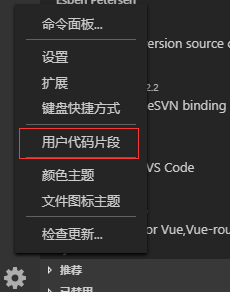
我用这个工具主要做vue开发的,下面分享我vue代码片段

搜vue.json并且打开它。将一下类容粘贴上去保存即可。
{
  "Print to console": {
    "prefix": "vue",
    "body": [
      "<template>",
      "    <div>\n",
      "    </div>",
      "</template>\n",
      "<script>",
      "export default {",
      "    props: {\n",
      "    },",
      "    components: {\n",
      "    },",
      "    watch: {\n",
      "    },",
      "    data() {",
      "        return {\n",
      "        };",
      "    },",
      "    computed: {\n",
      "    },",
      "    created() {\n",
      "    },",
      "    mounted() {\n",
      "    },",
      "    methods: {\n",
      "    },",
      "};",
      "</script>\n",
      "<style scoped lang=\"${1:scss}\">\n",
      "</style>\n"
    ],
    "description": "Create vue template"
  }
}
下面测试一下怎么使用:
新建一个vue文件
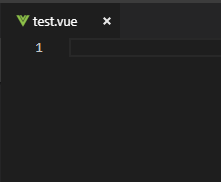
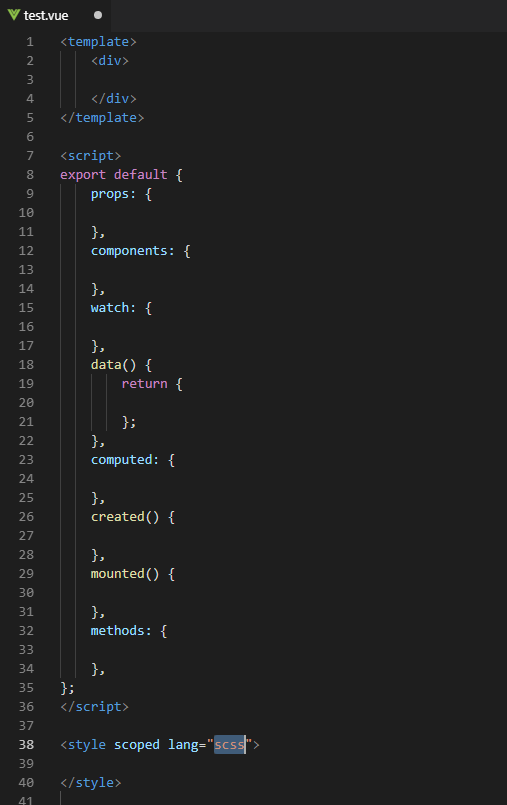
输入vue,按下enter或者tab键代码生成。

效果如下:
来源:https://www.cnblogs.com/jiangweichao/p/10868931.html