
This is how the routes and component look like:
routes.config
export const routes: RouterConfig = [ { path: 'users', component: UsersComponent, canActivate: [AuthGuard] }, { path: 'users/new', component: NewUserComponent }, ]; new-user.component
addField(newName: string){ this.items.push({ name: newName, }) this._router.navigate(['/users']) Is Angular2 supposed to refresh the page on router.navigate?
What else to use instead of router.navigate to avoid any page refresh?
Here is the proof: 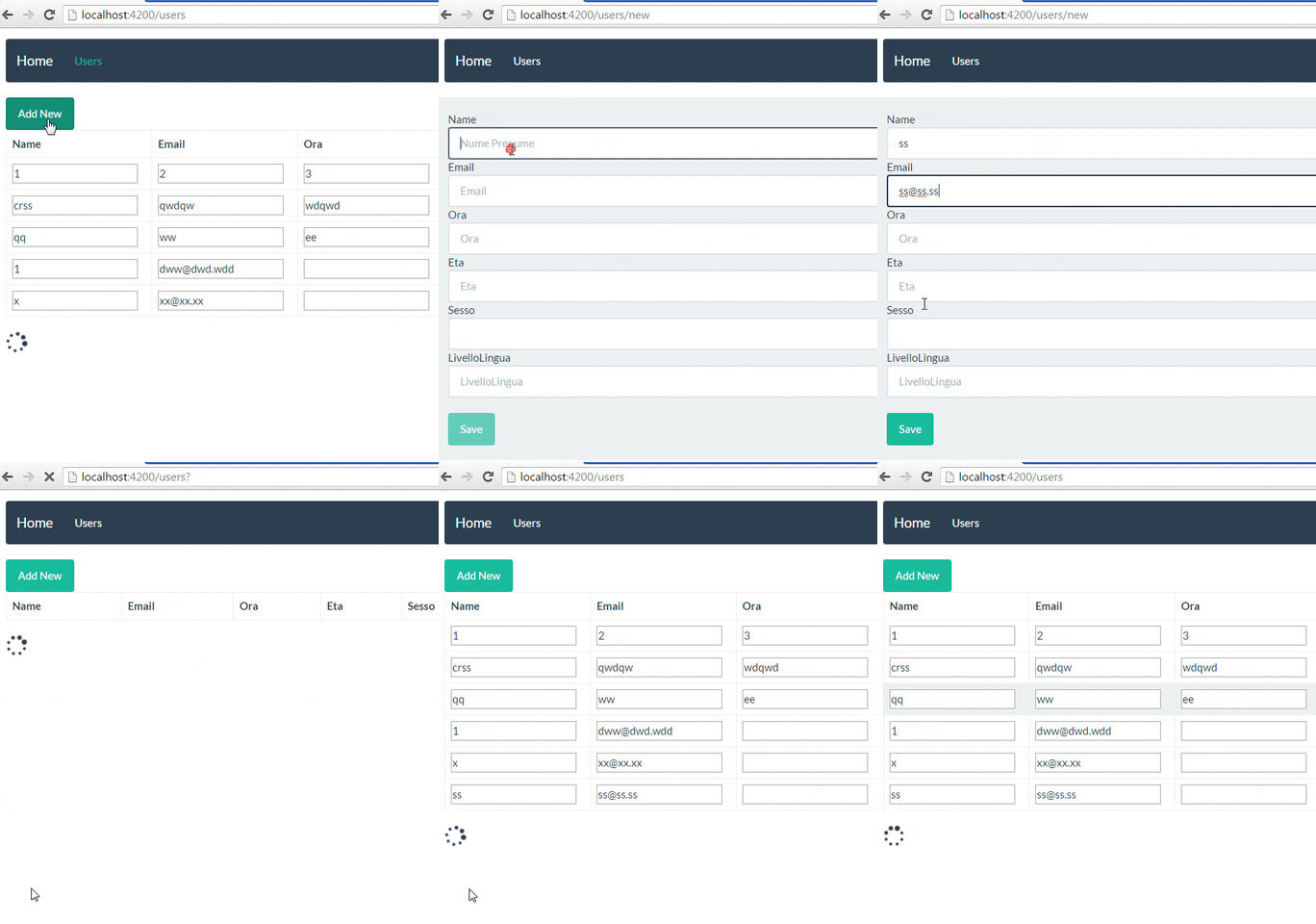
You are probably calling the router.navigate function inside a click event.
<button class="btn btn-default" (click)="save()">Save</button> And the save function being something like
save() { //Do stuff this._router.navigate(['/users', { id: userId } ]); } This works on IE11 and Edge browsers, but would reload the application in Chrome.
This is because of a missing type in the button element, if the button is inside a <form></form> Chrome will use 'submit' as it's default value. Causing a form submit when the button is clicked.
It's preferred to always set a type when using the button element See here:
So changing the HTML to
<button class="btn btn-default" type="button" (click)="save()">Save</button> Will make it work on all 3 browsers.
My previous solution also works, (By returning false it would prevent the default action. a.k.a. submitting the form) but I think the above one is preferred.
Obsolete answer but kept for posterity:
<button class="btn btn-default" (click)="save(); false">Save</button>
I had the same effect (page refresh when navigating to details page) using a simple <a href="/details/1"></a> link. The solution was to use the angular link: <a [routerLink]="['/details', 1]"></a>
For me works nice (from component code):
window.location.href = "/sth"; it automatically reloads page to given url part.
I know its simple method but you can also set this code to refresh route on success event after all operation finished.
window.open('users', '_self');
It will reload and redirect to user page.
This covers an AngularJS/Angular hybrid situation. I'm adding the answer because this question is one of the top results when you google angular router page reload issues. Hopefully it'll save somebody else time.
In my case I had a very simple Angular 2 (actually 5) route configuration that mostly worked except for one case where a link from one route to another would inexplicably cause a page reload. I had checked for all the usual suspects, form, submit button, etc.
It turned out that somewhere in an AngularJS component that was displayed at the time the link was clicked, there was an ng-include. The documentation warns about this for a reason I guess. Reshuffled the template so the ng-include could be changed to a templateUrl and all was well.
来源:https://stackoverflow.com/questions/38120756/angular2-router-navigate-refresh-page